
Base64 Encoder
Encode and decode Base64 text instantly in the browser.
About Base64 Encoder
Paste any text into the input field and get its Base64-encoded output instantly — or flip it around and decode a Base64 string back to plain text. No server calls, no account, nothing leaving your browser. It's the kind of tool you reach for when you're stuffing data into a JWT, embedding a small image in CSS, or just need to eyeball what an encoded payload actually says.
It fits neatly into the broader developer tools category alongside utilities built for quick, focused jobs rather than sprawling workflows. If you regularly work with encoding, hashing, or encryption beyond Base64, CyberChef covers that wider territory.
The interface is two boxes: input on one side, output on the other, updating as you type. Works well on mobile if you're decoding something on the go, but a desktop keyboard makes pasting long strings considerably less painful.
Look inside
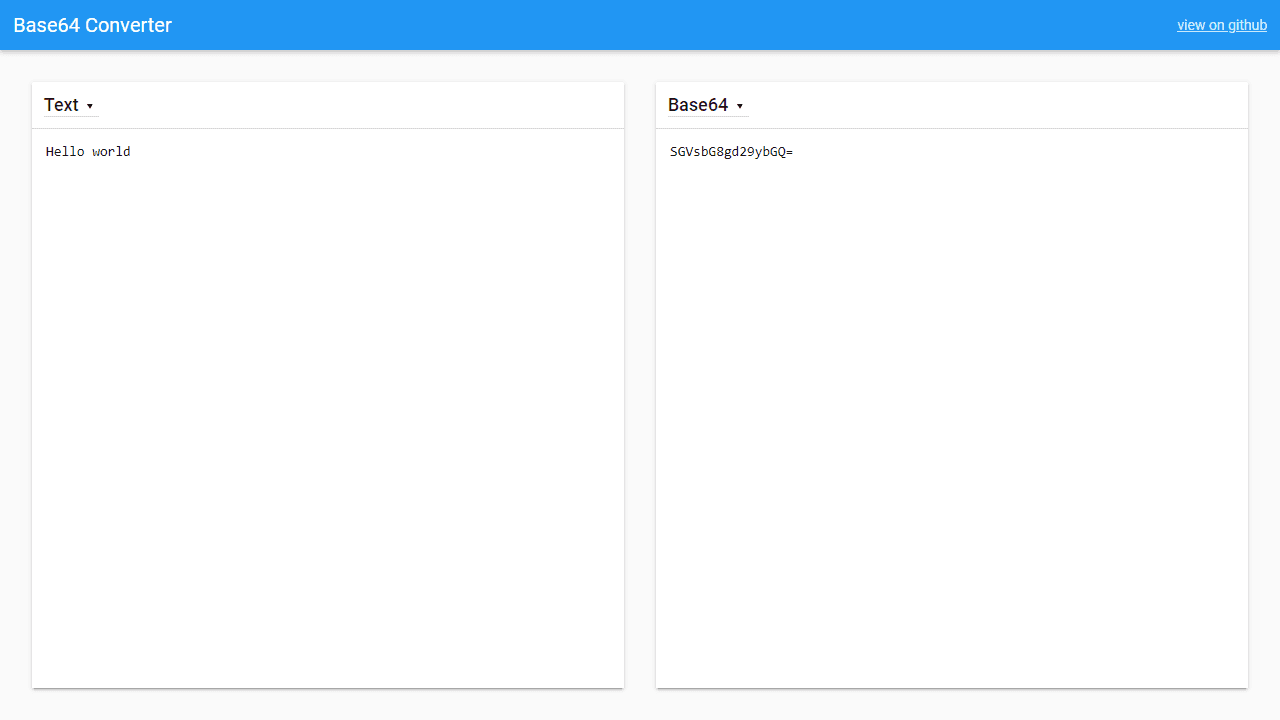
How to use
This tool converts text and images to and from Base64 encoding, commonly used in web development and data transmission. • Type or paste text in the left panel to see its Base64 encoded version in the right panel • Use the dropdown above each panel to switch between "Text" and "Image" modes • For images: click the upload button or drag and drop an image file into the left panel • The tool automatically converts between formats - left panel is input, right panel shows the encoded/decoded result • To decode Base64 back to readable text: paste Base64 code in the left panel and switch the left dropdown to match your desired output format • The right panel is read-only and updates automatically as you type or upload content • On mobile devices, panels stack vertically instead of side-by-side • All processing happens in your browser - no data is sent to external servers
Reviews
No written reviews yet. Be the first!
More from Developer

Convert Scratch projects into standalone HTML files. Upload a Scratch project and download a self-contained web page you can share.
by SheepTester


