
SVG Path Editor
A visual editor for creating and manipulating SVG paths. Click to add points, drag to adjust curves, and export clean SVG code.
About SVG Path Editor
Click on a canvas to place anchor points, drag handles to bend curves, and watch the raw d attribute update in real time. SVG Path Editor gives you a direct, visual way to build and fine-tune SVG paths without hand-writing coordinate strings. It's especially useful when you need a precise custom shape — a logo mark, an icon outline, a clip-path — and you want to see exactly what each control point is doing.
The editor supports the full range of SVG path commands: move, line, cubic and quadratic Bézier curves, arcs, and close. You can paste in an existing path to inspect or modify it, then copy out clean, minimal SVG code when you're done. It's a solid companion tool for anyone working in developer utilities, sitting nicely alongside things like Gradient Designer when you're assembling visual assets for a project.
Works entirely in the browser with no login required — a mouse or trackpad gives you the most control, though touch works for basic point placement.
Look inside
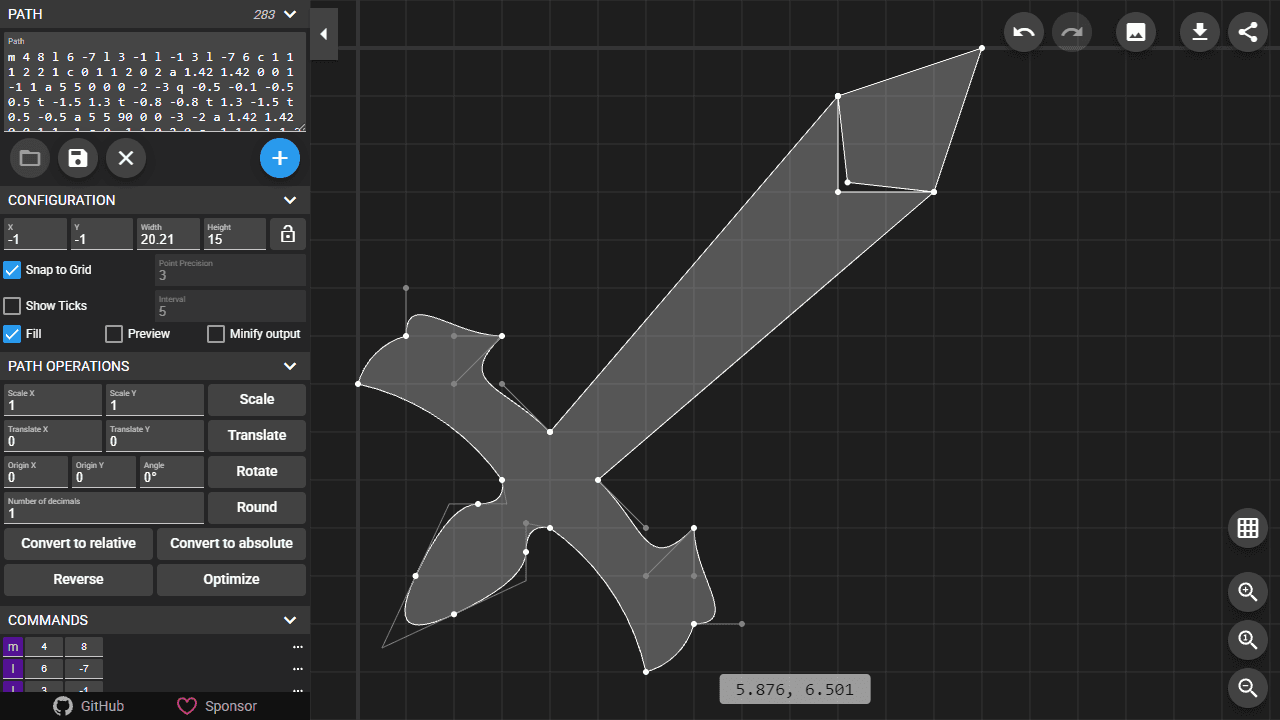
How to use
This tool allows you to create and edit SVG path data visually through an interactive interface. 1. Edit the raw SVG path code directly in the path text field, or use visual editing tools 2. Click the + button to add new path commands, select a command type, then click where you want it positioned 3. Drag and drop points to move them around the canvas 4. Click on any point, then the ... button to insert, delete, or convert commands 5. Use mouse wheel to zoom in/out, drag to pan the view 6. Click "Zoom to Fit" to automatically frame your path Commands panel: - Orange commands use relative coordinates, purple use absolute coordinates - Click command types to toggle between relative/absolute - Use ... menu to delete, insert, convert, or reorder commands Keyboard shortcuts: - Press m, l, v, h, c, s, q, t, a, z to insert path commands - Hold Shift + letter keys to convert selected command to that type - Delete/Backspace to remove selected command - Ctrl+Z to undo, Ctrl+Shift+Z to redo - Hold Ctrl while dragging to ignore grid snapping Use Scale, Translate, Rotate buttons for transforming the entire path.
Reviews
No written reviews yet. Be the first!
More from Developer

Convert Scratch projects into standalone HTML files. Upload a Scratch project and download a self-contained web page you can share.
by SheepTester


