
Bookmarklet Maker
Turn JavaScript code into draggable bookmarklets instantly. Paste your code, get a ready-to-use bookmarklet link you can drag to your browser toolbar.
About Bookmarklet Maker
Paste any JavaScript snippet and Bookmarklet Maker wraps it into a proper javascript: URI you can drag straight to your browser toolbar. That's the whole workflow — no configuration, no account, no build step. The tool handles the encoding and formatting automatically, so what lands in your bookmarks bar is clean and functional.
Bookmarklets have been a quiet productivity staple for decades, and this tool makes building them genuinely frictionless. If you're already writing small JS utilities — scraping page data, reformatting text, toggling styles — turning them into one-click toolbar buttons takes about ten seconds here. Explore more tools like this in the developer collection, or try CyberChef if you need heavier encoding and transformation work alongside your scripts.
Works entirely in the browser with no data sent anywhere — handy if your snippets touch anything sensitive. Best experienced on desktop, where dragging the generated link to your toolbar is a single mouse gesture.
Look inside
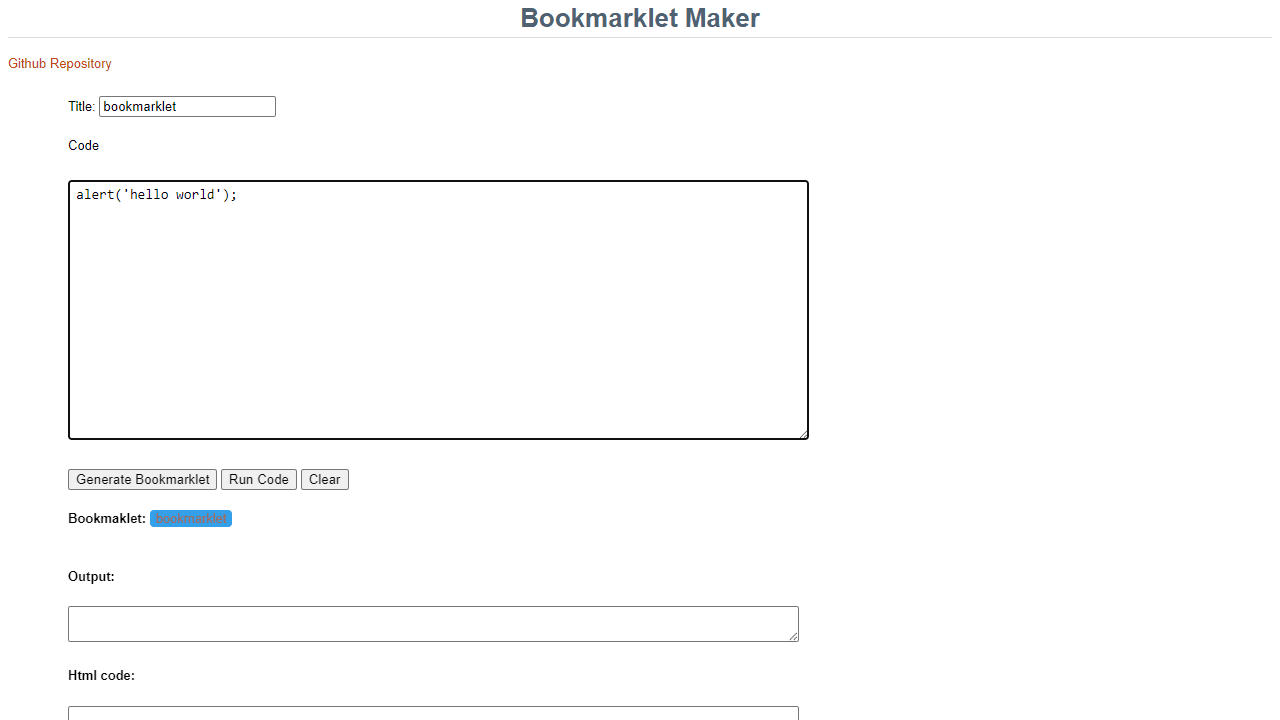
How to use
This tool converts JavaScript code into bookmarklets - clickable browser bookmarks that run scripts on web pages. • Enter a title for your bookmarklet in the "Title" field • Write or paste JavaScript code in the large text area • Click "Generate Bookmarklet" to create the bookmarklet • Test your code first by clicking "Run Code" to see if it works on the current page • Use "Clear" to reset both title and code fields The tool outputs three formats: • A clickable blue link you can test immediately • Raw bookmarklet code in the "Output" box • HTML code in the bottom text area for embedding To save a bookmarklet: drag the blue link to your browser's bookmarks bar, or copy the output code and create a new bookmark manually. Common uses: automating web tasks, extracting page data, modifying page appearance, or creating shortcuts to other websites with current page info. The generated bookmarklets work on any website and will execute your JavaScript code when clicked.
Reviews
No written reviews yet. Be the first!
More from Developer

Convert Scratch projects into standalone HTML files. Upload a Scratch project and download a self-contained web page you can share.
by SheepTester


