
Path Tracer
GPU-accelerated real-time path tracer with scene modeling, materials, and lights via WebGL2.
About Path Tracer
Place a sphere, tweak a glass material, shift a light source — and watch the render update in real time. Path Tracer simulates how light actually behaves: bouncing off surfaces, refracting through transparent objects, casting soft shadows. It runs entirely in your browser using WebGL2, so there's nothing to install and the GPU on your device does the heavy lifting.
It's a genuine path-tracing renderer, not a rasterized approximation. That means you can experiment with physically based materials — rough metals, glossy plastics, translucent glass — and see accurate caustics and indirect lighting build up as samples accumulate. If you've ever been curious how ray-traced visuals are actually produced, this makes the process tangible and immediate. It fits naturally alongside other tools in creative apps aimed at visual experimentation.
Works best on a desktop or laptop with a dedicated GPU; complex scenes with many bounces will slow noticeably on integrated graphics, so start with the built-in example scene and add geometry gradually.
Look inside
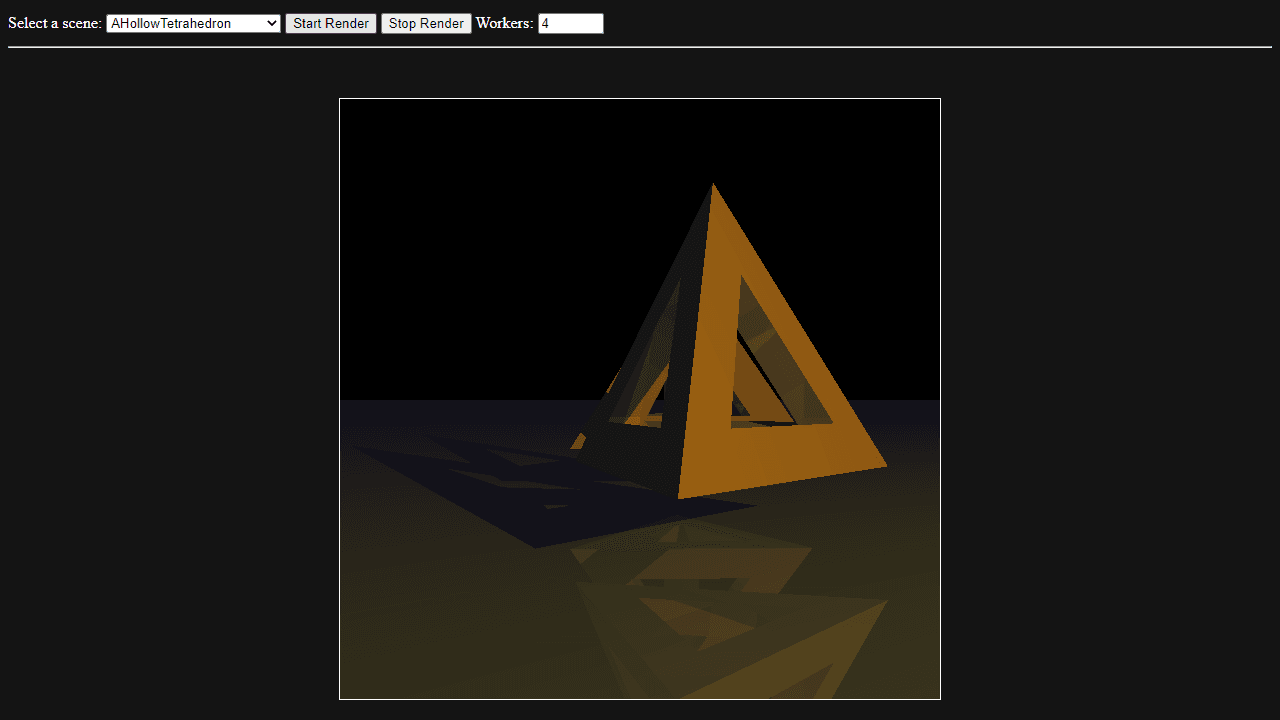
How to use
1. Select a pre-built scene from the dropdown menu to get started 2. Adjust the number of workers (1-16) to control rendering speed - more workers render faster but use more system resources 3. Click "Start Render" to begin ray tracing the selected scene 4. Watch the progress bar as the image gradually improves with multiple sampling passes 5. Use "Stop Render" to halt rendering at any time 6. The canvas displays your rendered image, which becomes more detailed and less noisy over time This is a ray tracing renderer that creates photorealistic images by simulating how light bounces through 3D scenes. Each scene contains different combinations of geometry, materials, and lighting effects like reflections and refractions. The rendering uses your CPU with web workers for parallel processing, so it may take several minutes to complete depending on scene complexity and your hardware.
Reviews
No written reviews yet. Be the first!
More from Creative

A casual chiptune loop maker. Tap cells, pick a vibe, share remixable 16-step loops in under a minute.
by Launch Arcade


