
Meme Generator
Make memes in seconds. 90+ classic templates, draggable text layers, custom uploads, daily challenges, and a community wall — all on Launch Arcade.
About Meme Generator
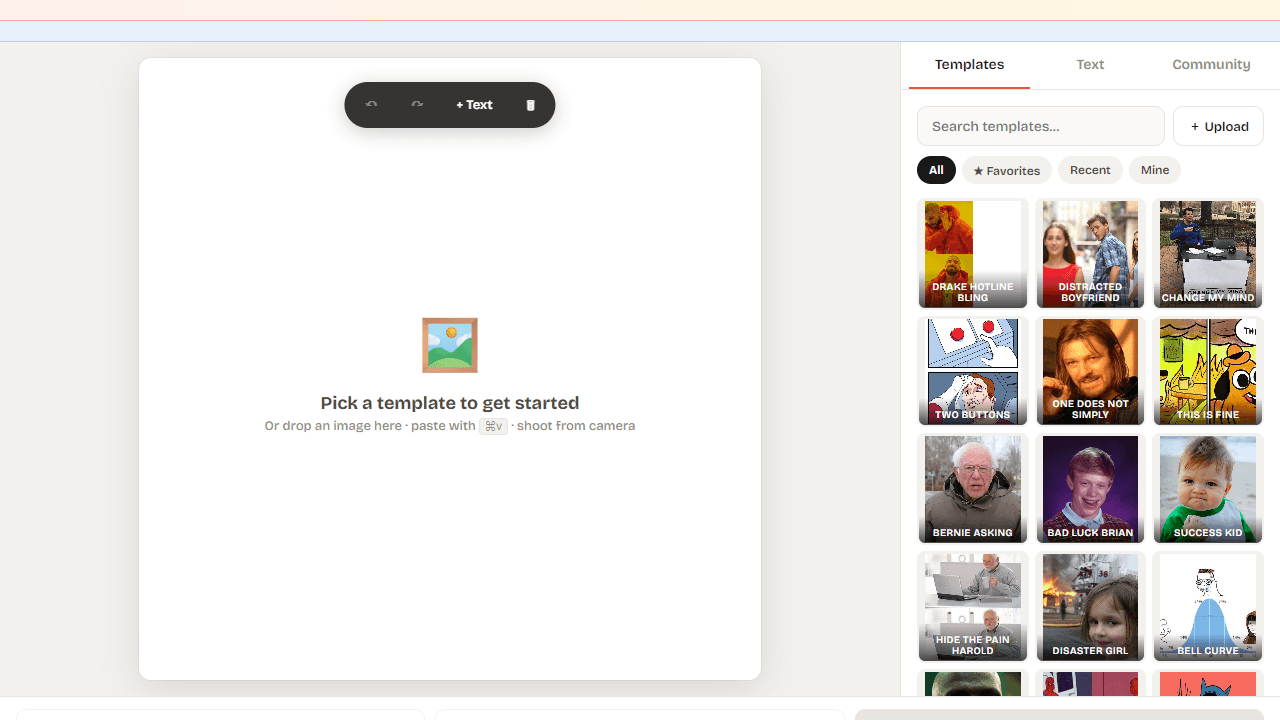
Pick a template, drop in your text, and watch a meme take shape in under a minute. Meme Generator packs more than 90 classic formats — Drake, Distracted Boyfriend, Two Buttons, and plenty more — into a clean editor where text layers drag and snap wherever you need them. You can also upload your own image if none of the classics quite fit the moment.
Daily challenges give you a prompt and a blank canvas, and the community wall lets you post your finished meme for everyone browsing the app to react to. It's a good place to steal ideas too. If you enjoy making things with images and text, it sits right at home in creative tools on Launch Arcade. For a different kind of visual playground, JS Paint is worth a look.
Works best on a desktop or tablet where dragging text layers feels precise — on a phone, pinch-zooming the canvas helps a lot.
Look inside
How to use
**Pick a template** from the gallery, or tap **+ Upload** to use your own image. You can also drag & drop or paste (⌘V) any image onto the canvas. **Add & edit text:** Tap **+ Text** (or press `T`) to add a layer. Drag text anywhere on the canvas to position. Double-click to edit. **Style:** Pick from 5 meme fonts, tune size, fill, stroke, uppercase, and shadow. Your style preferences persist. **Publish** to the Community Wall — others can browse and **Remix** your meme. Click Share to post a branded card to social. **Daily Meme:** A new prompt every day. Submit your take to climb the leaderboard and build a streak. **Shortcuts:** `T` new text · `D` download · `S` share · `⌘Z` undo · `⌘⇧Z` redo · `Delete` remove layer
Reviews
No written reviews yet. Be the first!
More from Creative

A casual chiptune loop maker. Tap cells, pick a vibe, share remixable 16-step loops in under a minute.
by Launch Arcade


