
Virtual Guitar Recorder
Learn guitar scales on an interactive fretboard and record, edit, and playback guitar tablature with sound synthesis.
About Virtual Guitar Recorder
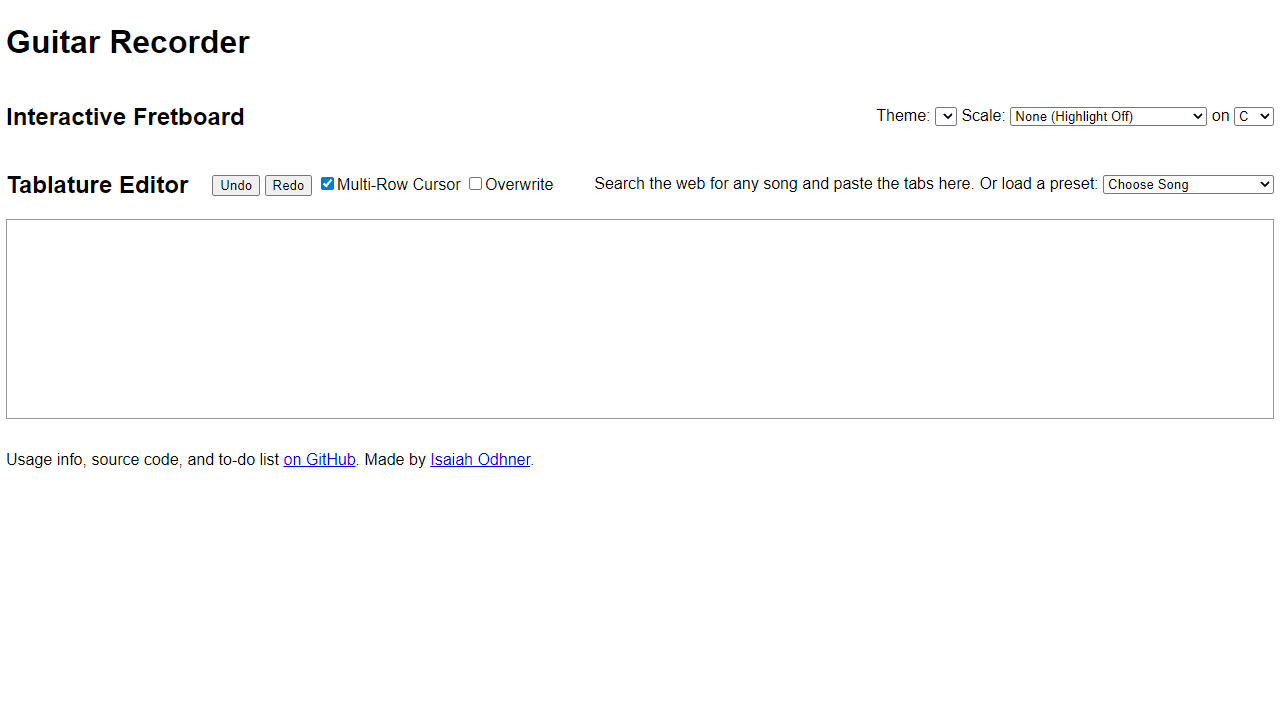
Tap or click any fret on an interactive guitar neck, hear the note ring out through the browser's sound synthesizer, and start building scales one position at a time. Virtual Guitar Recorder lets you map out scale patterns, then capture your ideas as tablature — the numbered grid notation real guitarists use. Once you've recorded a phrase, you can edit individual notes and play the whole thing back to hear how it sits together.
It's a practical tool for anyone learning the fretboard who wants more than a static chart. The tab editor is especially useful for working out a riff slowly, checking fingering, and listening back before you commit anything to memory. The full fretboard grid takes up a good amount of screen space, so a tablet or desktop gives you a cleaner view of the neck than a phone does.
If you're curious about other ways to make sound in the browser, the music apps category has plenty to explore — Virtual Piano covers similar ground from a keyboard angle if you want to cross-reference theory on a different instrument. No account or install needed; just open it and start at the low E string.
Look inside
How to use
• Use the virtual fretboard to play and record guitar music • **Playing notes**: Press almost any keyboard key while the fretboard is focused to hear guitar sounds • **Recording notes**: Click on frets to record notes. Right-click plays open strings from any fret position • **Scale practice**: Select a scale and root note from the dropdowns to highlight scale patterns on the fretboard • **Tablature editor**: Paste guitar tabs from websites into the text area, or choose preset songs from the dropdown • **Playback**: The app will play through recorded notes and loaded tablature • **Controls**: - Middle mouse button bends notes (sound only) - Multi-row cursor lets you edit multiple tablature lines at once - Overwrite mode replaces text instead of inserting • **Goal**: Learn guitar scales, practice with highlighted fretboard patterns, and experiment with recording your own tabs
Reviews
No written reviews yet. Be the first!
More from Music

A browser theremin. Move your mouse to control pitch and volume, generating eerie continuous tones via the Web Audio API.
by mdn


