
Drum Beast
A browser drum machine and beat sequencer. Program grooves, record patterns, and export your beats as JSON.
About Drum Beast
Click a cell in the step grid to activate it, string together a pattern across eight or sixteen steps, then hit play and hear your beat loop back immediately. Drum Beast is a browser-based drum machine and beat sequencer — no plugins, no installs. You get a classic row-per-instrument layout where kick, snare, hi-hat, and a handful of other voices each get their own track to program independently.
Once a groove feels right, you can record the pattern and export it as a JSON file, which makes it easy to save your work or tinker with the raw data later. It's a focused tool: nothing excessive, just the controls you need to sketch a beat quickly. If you want to go further into generative territory, Orca goes in a completely different direction, building rhythms through a live-coding alphabet grid.
Drum Beast works best on a desktop browser, since the full step grid spreads across the screen and clicking individual cells with a mouse is considerably faster than tapping on a phone.
Look inside
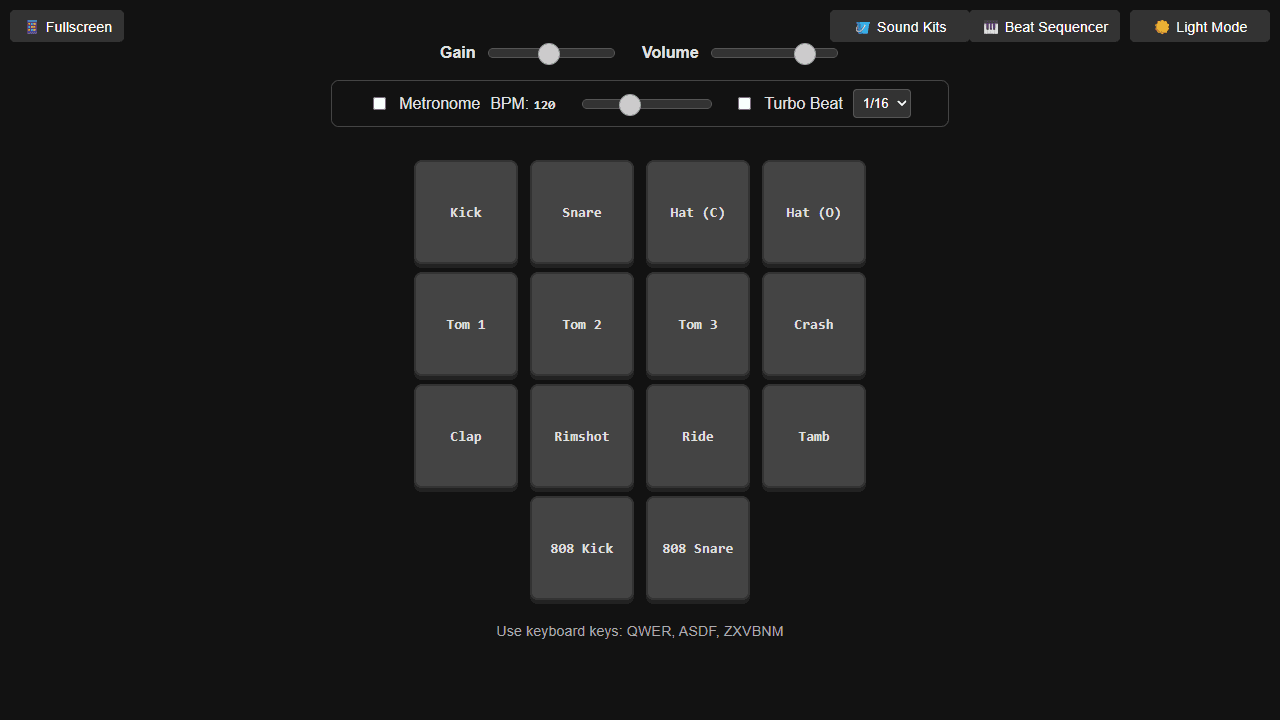
How to use
• **Objective:** Create drum beats using synthetic drum sounds and record grooves • **Basic Controls:** - Press keyboard keys QWER, ASDF, ZXVBNM to trigger different drum sounds - Click drum pads on screen or use touch on mobile - Adjust Gain and Volume sliders to control sound levels • **Recording Beats:** 1. Click "Beat Sequencer" button to open the panel 2. Press "Record Beat" button and start playing drums 3. Press "Stop" when finished - your beat appears as editable JSON 4. Use "Play" to loop your recorded beat • **Additional Features:** - Toggle metronome and adjust BPM for timing reference - Enable "Turbo Beat" for rapid-fire drum hits - Switch between sound kits using "Sound Kits" button - Export beats as JSON files or copy/paste to share - Import previously saved beats - Toggle between light/dark modes • **Drum Types:** Kick, snare, hi-hats, toms, crash, ride, clap, rimshot, tambourine, and 808 variants
Reviews
More from Music

A browser theremin. Move your mouse to control pitch and volume, generating eerie continuous tones via the Web Audio API.
by mdn


