
Orca
A live-coding music sequencer where every letter of the alphabet is an operator. Route signals through a 2D grid to generate sound.
About Orca
You type letters onto a grid and sound comes out. That's the core loop of Orca, a live-coding sequencer where each letter of the alphabet acts as an operator — D delays a signal, B bangs a trigger, * multiplies values — and chaining them together builds rhythms, melodies, and textures in real time. Nothing is pre-built for you; the patch is whatever you wire up on the 2D canvas.
The learning curve is real. Orca rewards patience and experimentation more than musical training, and the documentation is sparse by design. But small discoveries accumulate fast, and within an hour most players have something that actually pulses. If math-driven sound generation appeals to you, Bytebeat Composer covers similar ground from a formula-based angle. For broader context, the music apps category has more tools across the spectrum.
Orca works best on a physical keyboard — the full grid fills the screen and you'll be typing constantly, so touch-only setups feel cramped fast.
Look inside
How to use
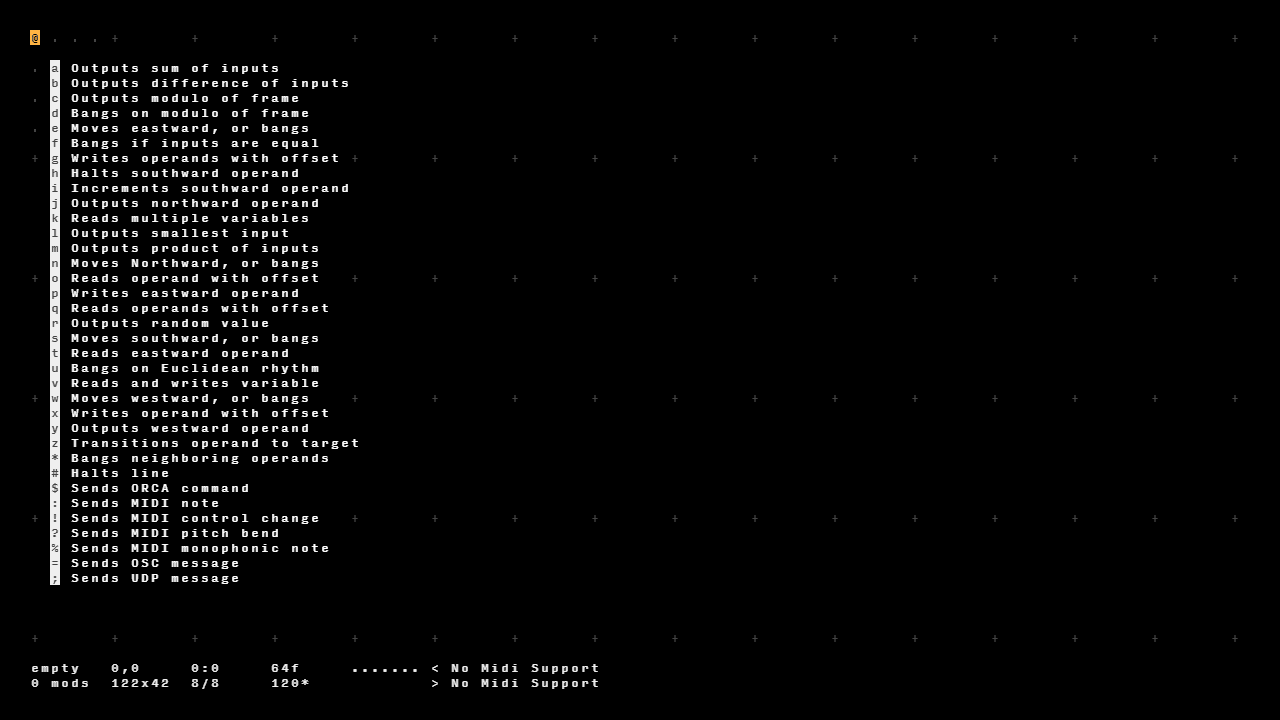
• Orca is a visual programming language for creating music and sound patterns • Click anywhere on the grid to place your cursor, then type letters and numbers to create operators • Each operator performs a specific function - for example, "D" moves data in a direction, "A" adds numbers • Press spacebar to play/pause the sequencer that runs your program • Use arrow keys to move the cursor around the grid • Press backspace or delete to erase operators • The grid updates in real-time as operators process data and trigger sounds • Operators work together in chains - output from one becomes input for another • Numbers represent data values, letters represent different operator functions • Connect to MIDI devices or use built-in sounds to hear your patterns • Press F1 to see the full list of available operators and their functions • Save your work with Ctrl+S, load files with Ctrl+O
Reviews
No written reviews yet. Be the first!
More from Music

A browser theremin. Move your mouse to control pitch and volume, generating eerie continuous tones via the Web Audio API.
by mdn


