
WriteOnly
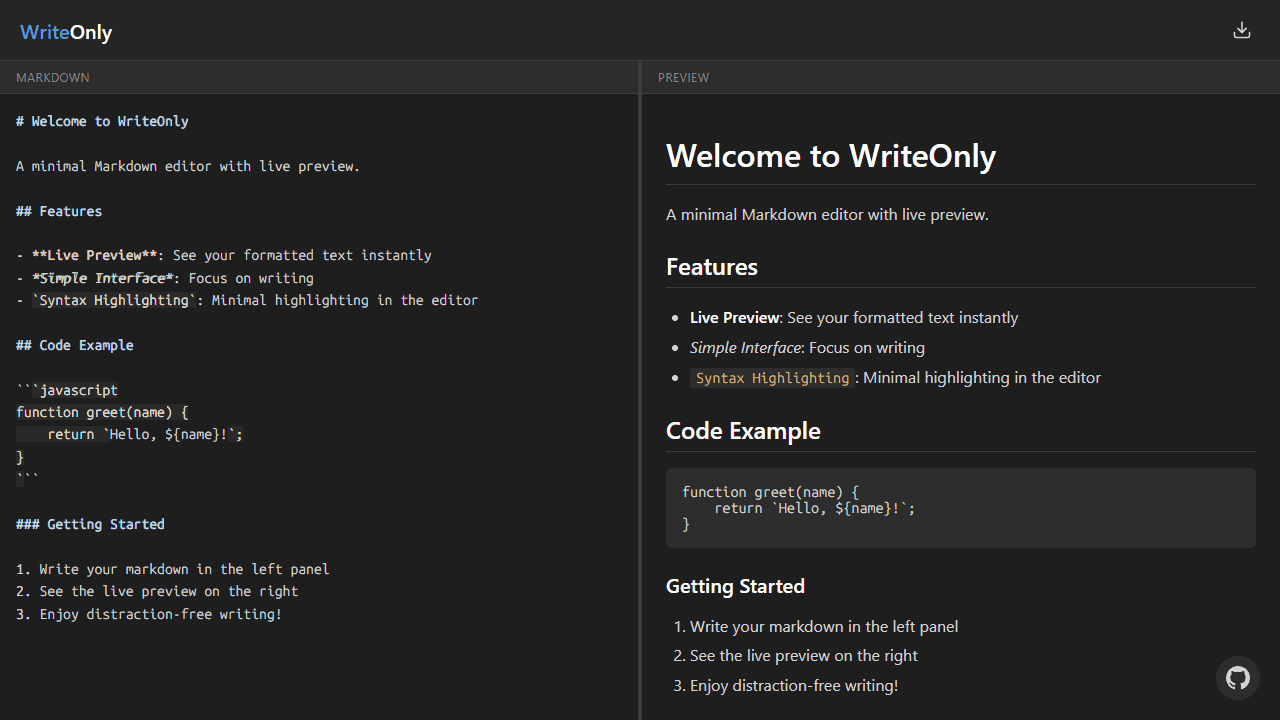
A minimal, single-page Markdown editor with instant live preview. Toggle between editor and preview on mobile, or use the side-by-side layout on desktop.
About WriteOnly
Type Markdown on the left, watch formatted output appear on the right — that's the whole loop. WriteOnly strips away every toolbar, modal, and setting panel that usually clutters a writing app, leaving you with a single page and your words. The live preview updates as you type, so there's no save-and-refresh cycle breaking your concentration.
It fits naturally into the productivity space for anyone who drafts README files, meeting notes, blog posts, or documentation and just wants to get the text down. If you need more structure — syntax highlighting, export options, file management — Online Markdown Editor is worth a look instead.
On desktop the split-pane layout keeps source and preview side by side; on mobile a single tap toggles between the two. No account, no setup — open it and start writing.
Look inside
How to use
• Start typing in the left "Markdown" pane to write formatted text using Markdown syntax • Your formatted content appears instantly in the right "Preview" pane as you type • Use standard Markdown formatting: # for headers, **bold**, *italic*, - for lists, etc. • Your work automatically saves in your browser - refresh the page and your text remains • On mobile, tap the edit or preview icons in the header to switch between views • Click and drag the center divider to resize the editor and preview panes on desktop • Download your work using the download button (arrow icon) in the top-right corner • Choose from PDF, Markdown (.md), or HTML file formats when downloading • Focus on writing - the split-screen design lets you see both your raw text and final formatting simultaneously


