
Web Excel
A browser-based spreadsheet app inspired by Excel. Create cells, enter formulas, format data, and work with multiple sheets.
About Web Excel
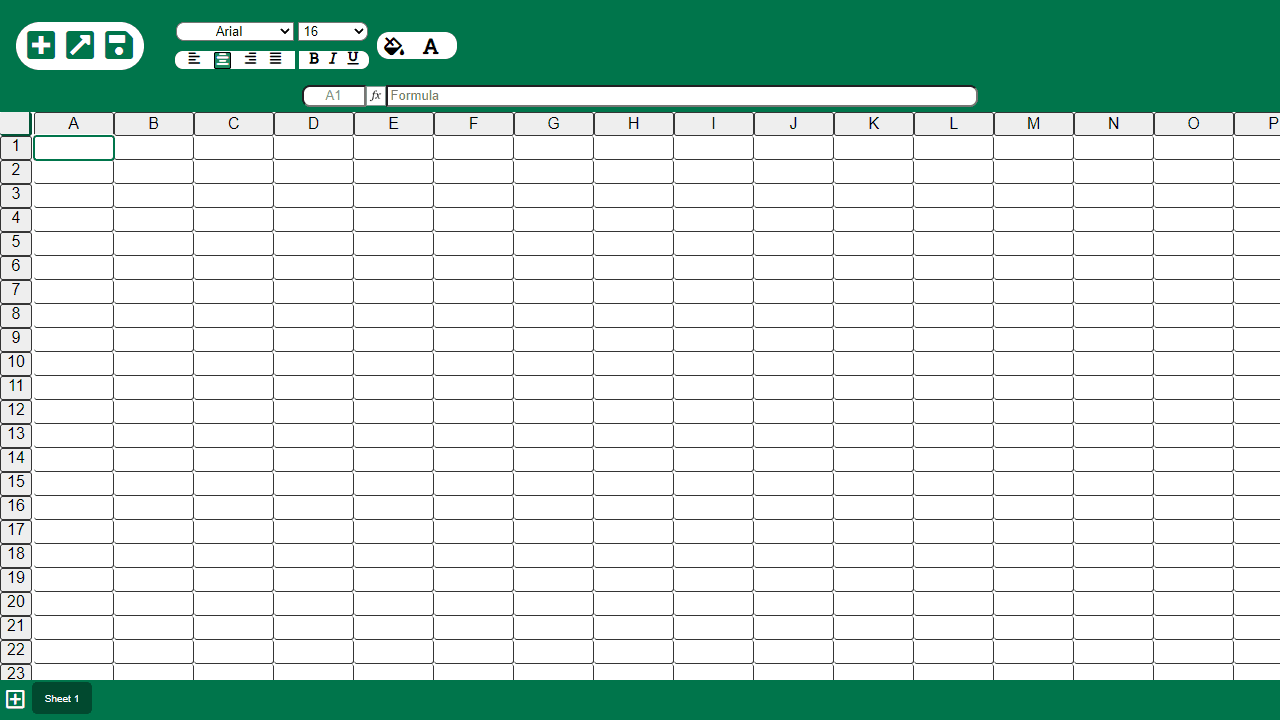
Type a value into a cell and Web Excel behaves exactly how you'd expect: hit Tab to move across columns, enter a formula like =SUM(A1:A10) and watch the result appear instantly. You get multiple sheets, cell formatting, and the familiar grid layout that spreadsheet work runs on — all inside your browser with nothing to install.
It's a practical choice for quick calculations, light data wrangling, or building a simple budget when you don't have a desktop office suite handy. If you're already browsing productivity apps, this slots in well alongside other focused tools. Pair it with Task Manager if you need something for tracking deadlines and priorities alongside your data.
Works best on a full-size keyboard and a wider screen — formula entry on mobile is doable but tight.
Look inside
How to use
A web-based spreadsheet application that mimics Excel functionality with 100 rows and 26 columns. **Basic Controls:** • Click any cell to select it and start typing • Use arrow keys or mouse to navigate between cells • Press Enter to confirm cell input and move down **File Management:** • Plus icon: Create new spreadsheet • Folder icon: Open existing file from your device • Save icon: Download current spreadsheet to your computer **Formatting:** • Use dropdowns to change font family and size • Click alignment icons (left, center, right, justify) to align text • Click B/I/U icons for bold, italic, underline • Use color pickers next to paint bucket and font icons for background and text colors **Formulas:** • Click any cell to see its address in the address bar • Enter mathematical formulas in the formula bar using cell references • Important: Separate all symbols and cell addresses with spaces (e.g., "A1 + B2") **Sheets:** • Click plus icon at bottom to add new sheets • Click sheet tabs to switch between sheets • Each sheet works independently but saves together
Reviews
No written reviews yet. Be the first!
More from Productivity

A minimal, single-page Markdown editor with instant live preview. Toggle between editor and preview on mobile, or use the side-by-side layout on desktop.


