
Web Audio Experiment
A visual interface for experimenting with audio synthesis, effects, and processing using Web Audio API nodes. Connect oscillators, filters, and other audio components to create custom sound chains.
About Web Audio Experiment
Drag oscillators, filters, reverb units, and gain nodes onto a canvas, then wire them together to build your own signal chain from scratch. Every connection you make changes what you hear in real time — route a sawtooth wave through a low-pass filter, add a delay, tweak the cutoff frequency, and listen to the result immediately. There's no preset to lean on; the sound is entirely whatever you construct.
This is a hands-on introduction to how the music web works at a low level, using the Web Audio API as both engine and teacher. If you've ever been curious why synthesizers have patch cables, or what a convolver actually does to a signal, this app makes those concepts tangible fast.
If you prefer something more immediately playable after experimenting here, Violent Theremin puts a single mouse-controlled instrument in your hands with zero setup. Works best on a laptop or desktop — precise node placement on a small touchscreen gets fiddly quickly.
Look inside
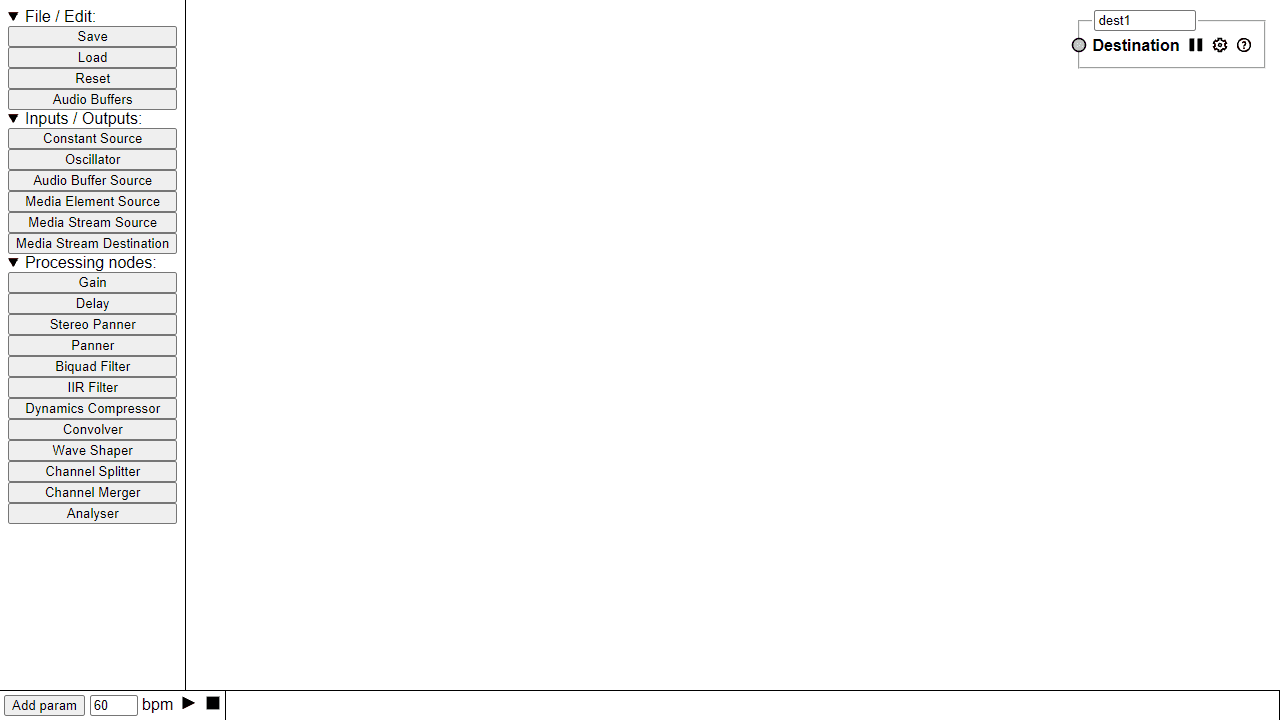
How to use
This is a visual tool for experimenting with Web Audio API to create and manipulate sound. • Click buttons in the left menu to add audio nodes (sound sources, effects, outputs) to the workspace • Drag nodes around the canvas to position them • Connect nodes by dragging from output ports to input ports to create an audio signal path • Click on any node to adjust its parameters in the bottom panel • Use play/stop buttons to start and stop audio playback • Set BPM for timing-based effects using the number input Basic audio chain: Add a sound source (Oscillator, Audio Buffer) → connect to processing nodes (Gain, Delay, Filters) → connect to your speakers (destination) • Save/Load buttons preserve your audio graph setups • Reset clears the workspace • Audio Buffers button manages audio file imports • Right-click nodes for additional options • Check the log panel for any error messages Experiment by chaining different audio processing nodes to create unique sounds and effects.
Reviews
No written reviews yet. Be the first!
More from Music

A browser theremin. Move your mouse to control pitch and volume, generating eerie continuous tones via the Web Audio API.
by mdn


