
Markdown Editor
A full-featured Markdown editor with live preview, syntax highlighting, and export. All processing happens in your browser.
About Markdown Editor
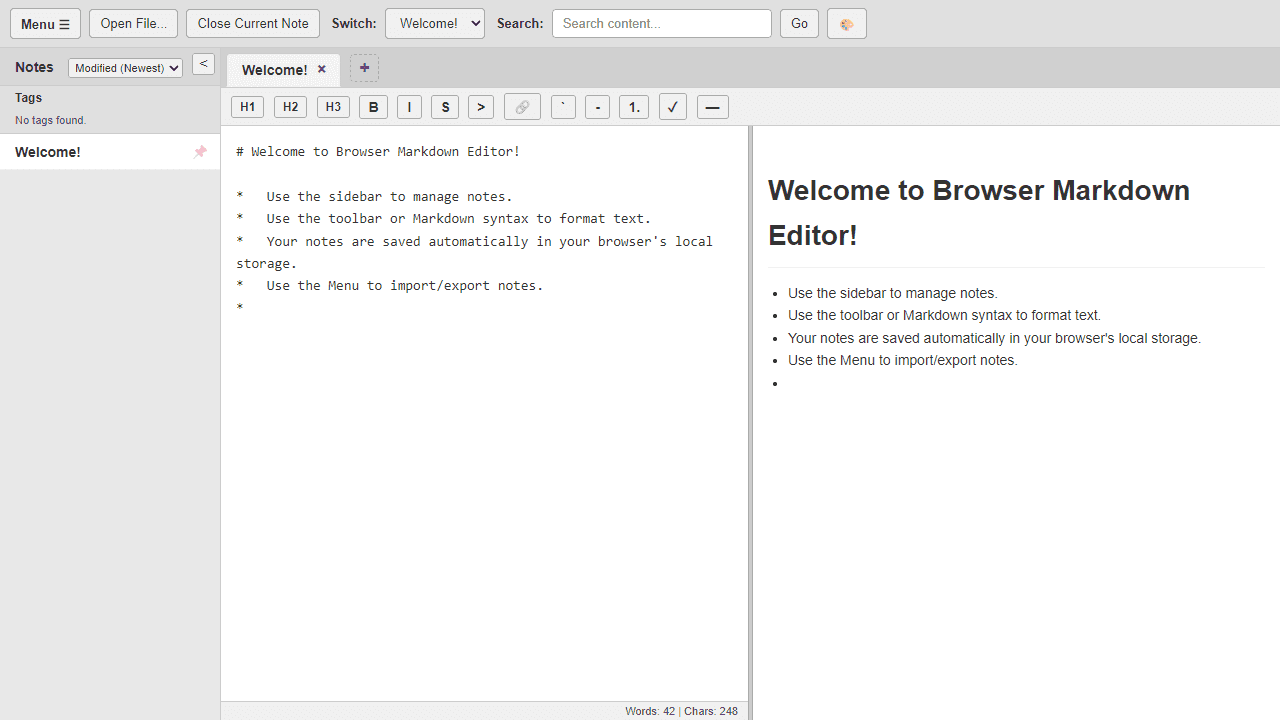
Type Markdown on the left, watch formatted output appear on the right — that's the core loop. Headings, bold, code blocks, tables: everything renders instantly as you write, with syntax highlighting keeping your raw text readable at a glance. When you're done, export your work without touching a server, because all processing runs entirely inside your browser.
It fits naturally into any writing or documentation workflow. Draft a README, compose structured notes, or sketch out technical docs — the live preview means you spend less time context-switching and more time actually writing. If you prefer a stripped-back experience with fewer UI elements, WriteOnly is worth a look as a companion option.
Find it alongside other browser-based tools in the productivity category. No account or installation needed — just open it and start typing, so it works especially well when you're on a borrowed machine or need something fast.
Look inside
How to use
Write and edit Markdown documents with real-time preview side-by-side. • Type Markdown syntax in the left editor pane - the formatted preview appears on the right • Click "New Note" to create documents, use the dropdown to switch between notes • Use toolbar buttons for common formatting: bold, italic, headers, lists, links, images • Press Ctrl+F to find/replace text within the current document • Organize notes with tags - click tag buttons in sidebar to filter your documents • Toggle between light/dark themes using the theme button in top controls • Drag the vertical divider between editor and preview to resize panes • All changes save automatically to your browser's local storage • Export individual notes as Markdown files or export all notes as a ZIP archive • Use the sidebar to browse, search, and manage your collection of notes • Click the sidebar toggle button to hide/show the notes list for more editing space • Search across all notes using the search box in the top toolbar
Reviews
No written reviews yet. Be the first!
More from Productivity

A minimal, single-page Markdown editor with instant live preview. Toggle between editor and preview on mobile, or use the side-by-side layout on desktop.


