Typex
Test your typing speed with real-time analytics, multiple difficulty modes, and category-based texts. Track WPM, accuracy, and streaks in a slick hacker-style interface.
About Typex
Typex puts a passage of text in front of you and measures every keystroke — words per minute, accuracy percentage, and how long your current streak holds. Pick a difficulty level, choose a text category that interests you, and start typing. The hacker-style terminal interface keeps the focus on the words rather than decorations, and the real-time feedback means you can see your WPM climbing or stumbling as it happens, not just at the end.
It works best as a daily habit rather than a one-off test. A few focused sessions will show you which letter combinations slow you down and whether your accuracy drops when you push for speed. That data is genuinely useful if you spend long hours at a keyboard.
If you want typing practice that doubles as geography study, Atlas Rush covers similar ground but ties every word to a country name under the clock. Typex itself fits neatly in the education category. A physical keyboard is strongly recommended — the full WPM picture only emerges when your hands are actually on hardware.
Look inside
How to use
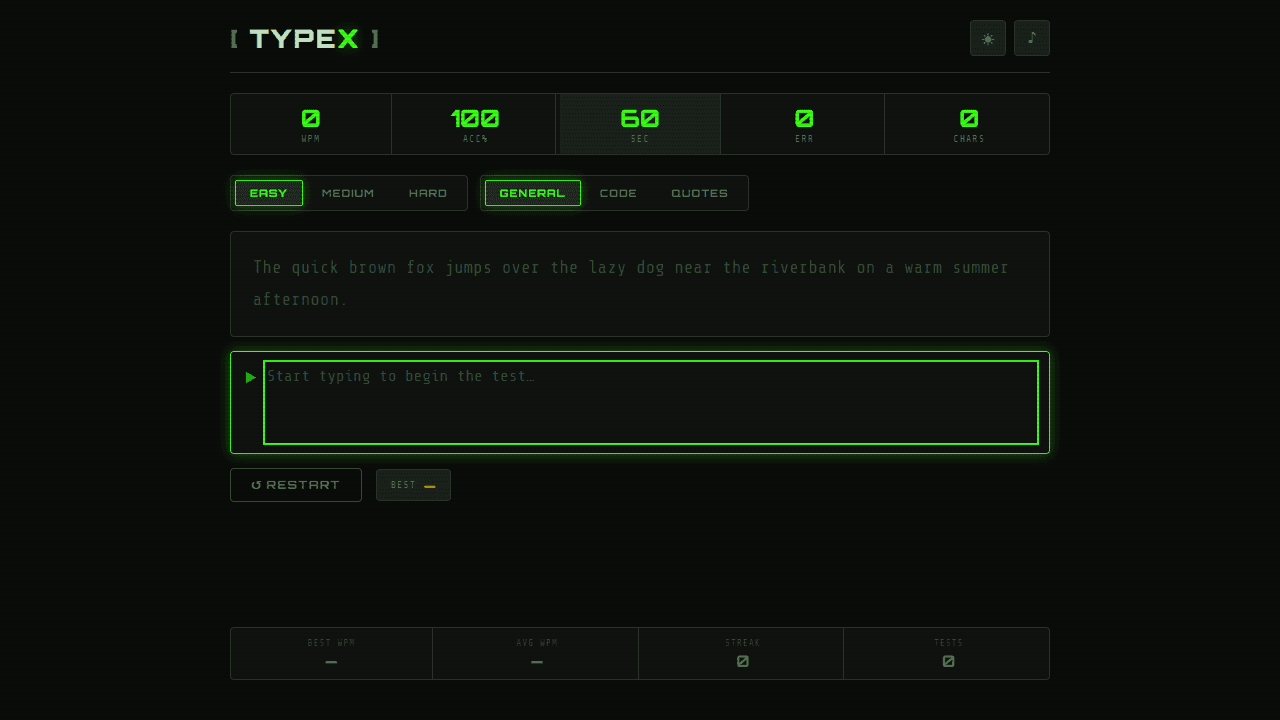
• **Objective:** Improve your typing speed (WPM) and accuracy by typing passages within a 60-second timer • **Controls:** - Simply start typing in the text area to begin the test automatically - Use keyboard only - type exactly what you see in the passage above - Click "RESTART" button to reset the test at any time • **Difficulty & Categories:** - Click EASY/MEDIUM/HARD buttons to change text complexity - Click GENERAL/CODE/QUOTES buttons to choose text type - Changes apply to the next test • **Real-time Feedback:** - Characters turn green when correct, red when wrong - Live stats show your current WPM, accuracy, errors, and characters typed - Timer counts down from 60 seconds • **Results:** - Detailed performance report appears when time expires - View WPM chart, recent scores, and typing weaknesses - Track your best scores and streak in the footer dashboard • **Settings:** - Click sun/moon icon to toggle dark/light theme - Click music note icon to enable/disable typing sounds
Reviews
No written reviews yet. Be the first!
More from Education
A geography speed-quiz. Type country names against the clock — every one you nail lights up the map. Eight maps (world + every continent), three paces, leaderboards, percentile standings, and a per-answer rarity stat that shows how many other players named each country.
by geodude