Turing Machine
Define states, symbols, and transitions, then watch a Turing machine execute step by step.
About Turing Machine
You define the tape symbols, write the transition rules, and then step through each clock tick watching the read/write head crawl left and right. Turing Machine is a hands-on simulator built around the theoretical model that sits at the foundation of modern computing — not a video about it, not a quiz, but the actual mechanism you control.
It's aimed at students working through computability theory, but it rewards anyone curious about how a handful of rules can, in principle, compute anything computable. Start with a simple binary incrementer, get that working, then try something harder. The step-by-step execution makes it easy to catch a bad transition before it spirals into an infinite loop. If you're already comfortable with education apps that lean toward visual, interactive learning, the workflow here will feel natural. Graphing Calculator goes in a different direction but covers the same spirit of watching math behave in real time.
Keyboard entry makes building transitions much faster than tapping — a laptop or desktop is where this one earns its keep.
Look inside
How to use
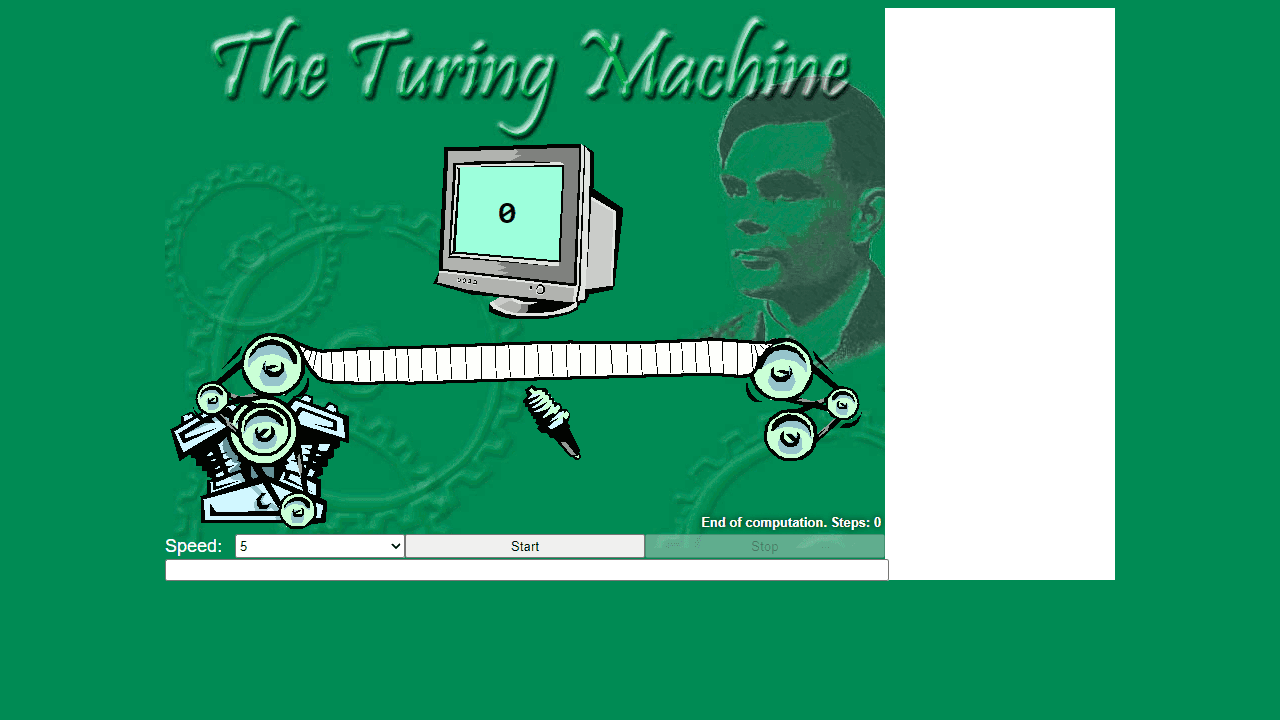
• **Objective**: Create and run Turing Machine programs to process input strings on an infinite tape • **Writing Programs**: Type your Turing Machine code in the main text area using state transition syntax (state, read_symbol, write_symbol, direction, next_state) • **Input**: Enter your test string in the input field at the bottom • **Controls**: - Click Start button to run your program - Click Stop to halt execution - Use Speed dropdown to control execution speed (0=slowest, Max=fastest) - Use arrow buttons or click tape cells to manually move the tape head • **The Tape**: Visual representation shows current tape contents with the machine head position highlighted • **Program Management**: - Use dropdown menu to select pre-loaded example programs - Load/Save buttons to manage your programs • **Execution**: Watch as the machine reads symbols, writes new ones, and moves left/right according to your program rules. The current state displays at the top.
Reviews
No written reviews yet. Be the first!
More from Education

A geography speed-quiz. Type country names against the clock — every one you nail lights up the map. Eight maps (world + every continent), three paces, leaderboards, percentile standings, and a per-answer rarity stat that shows how many other players named each country.
by geodude