
SiriWave
A mesmerizing recreation of the Apple Siri waveform animation. Watch smooth, responsive audio-style waves ripple across your screen in classic and iOS 9+ styles.
About SiriWave
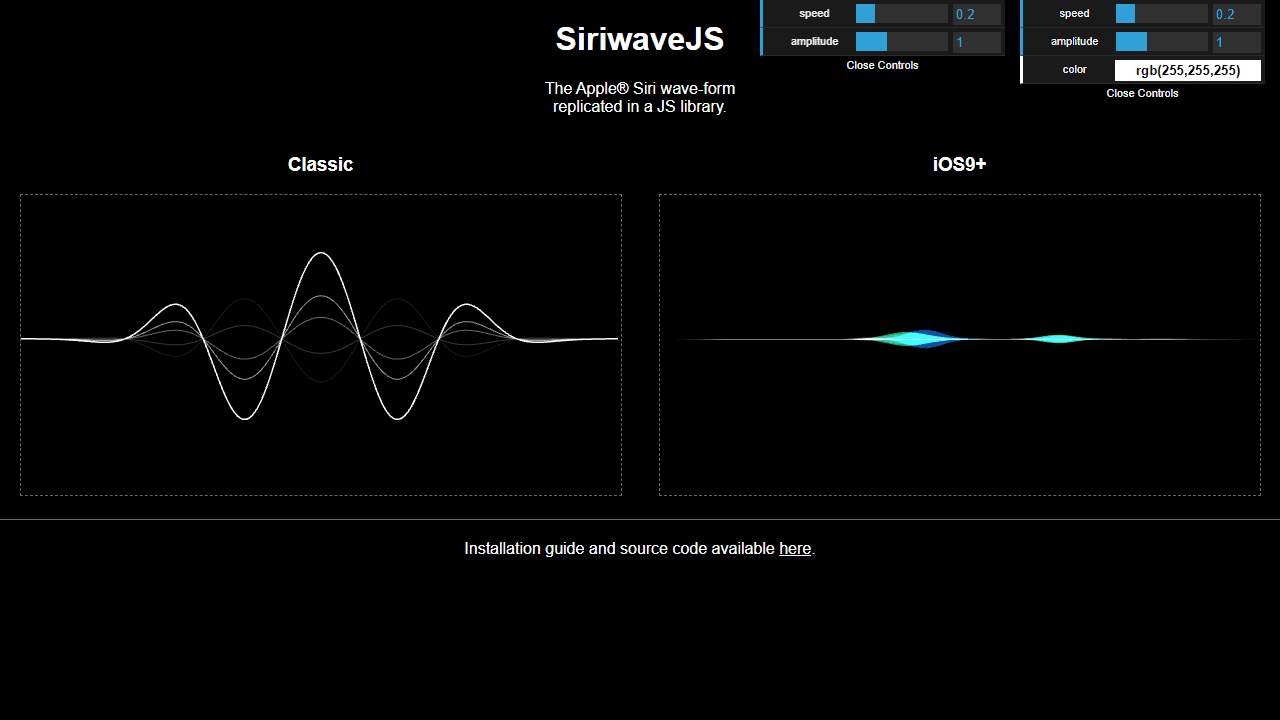
Tap or click anywhere on the screen and watch fluid, glowing waves respond instantly — curling, cresting, and settling like the pulse of something alive. SiriWave recreates the iconic waveform animation Apple used for Siri, offering both the original classic style and the smoother, more colorful iOS 9+ version. Toggle between the two and the difference is immediately obvious: the newer mode layers multiple hues into a ribbon that breathes in real time.
There's no goal, no score, and no timer. It's a visual demo — the kind of thing you leave open on a second screen or hand to someone who keeps poking at your phone. If fluid, touch-driven visuals are your thing, the broader interactive apps category has plenty to explore. Fluid Simulation goes in a different direction — physics-based rather than stylized — but scratches a similar visual curiosity.
Because the wave animation stretches edge to edge, a larger screen genuinely earns its keep here: the full waveform has room to arc dramatically instead of compressing into a narrow band. Works best with the lights low.
Look inside
How to use
This is a visual wave animation tool that recreates Apple's Siri voice assistant waveform effect. **What it does:** • Displays animated sound waves in two styles: Classic (pre-iOS 9) and iOS 9+ • Waves continuously animate and flow across the screen • Mimics the visual feedback you see when talking to Siri **Controls:** • Use the control panels on the right side to adjust wave properties • Speed slider: Controls how fast the waves move • Amplitude slider: Controls wave height/intensity • Color picker: Changes wave color (Classic style only) • All changes apply in real-time as you adjust the controls **Wave Styles:** • Classic: Traditional sine waves with customizable colors • iOS 9+: Modern multi-colored fluorescent waves (blue, red, green, white) **Interaction:** • Waves start animating automatically when the page loads • Experiment with different combinations of speed and amplitude settings • Higher amplitude creates more dramatic wave peaks • Higher speed makes waves flow faster across the screen No keyboard or mouse interaction with the waves themselves - all control is through the adjustment panels.
Reviews
No written reviews yet. Be the first!
More from Interactive

An interactive particle sandbox. Drop sand, water, fire, and more and watch elements interact in a mesmerizing physics simulation.
by mohanad-80


