
Chaos Game
Generate Sierpinski triangles and other fractals using the chaos game algorithm. Customize sides, colors, and restrictions to create mesmerizing patterns.
About Chaos Game
Pick a polygon, set a few rules, and watch the screen fill with fractal geometry one dot at a time. The chaos game algorithm works by repeatedly jumping halfway toward a randomly chosen vertex — a dead-simple rule that somehow produces the Sierpinski triangle and dozens of other intricate self-similar patterns. You can change the number of sides, adjust the jump ratio, restrict which vertices can be chosen consecutively, and swap in your own color scheme to see how each tweak reshapes the result.
There's real math underneath, but you don't need to know any of it to enjoy experimenting. Crank the restriction settings and a jagged triangle quietly reorganizes itself into something that looks hand-drawn. It's the kind of app that makes you want to keep changing one variable at a time just to see what breaks — or what accidentally looks great. Flocking Boids covers similar ground if you're drawn to simple rules producing complex emergent behavior.
Find it alongside other generative tools in interactive apps. A larger screen helps here because density increases with dot count and the fine structure of the pattern becomes visible only when you have the pixels to show it.
Look inside
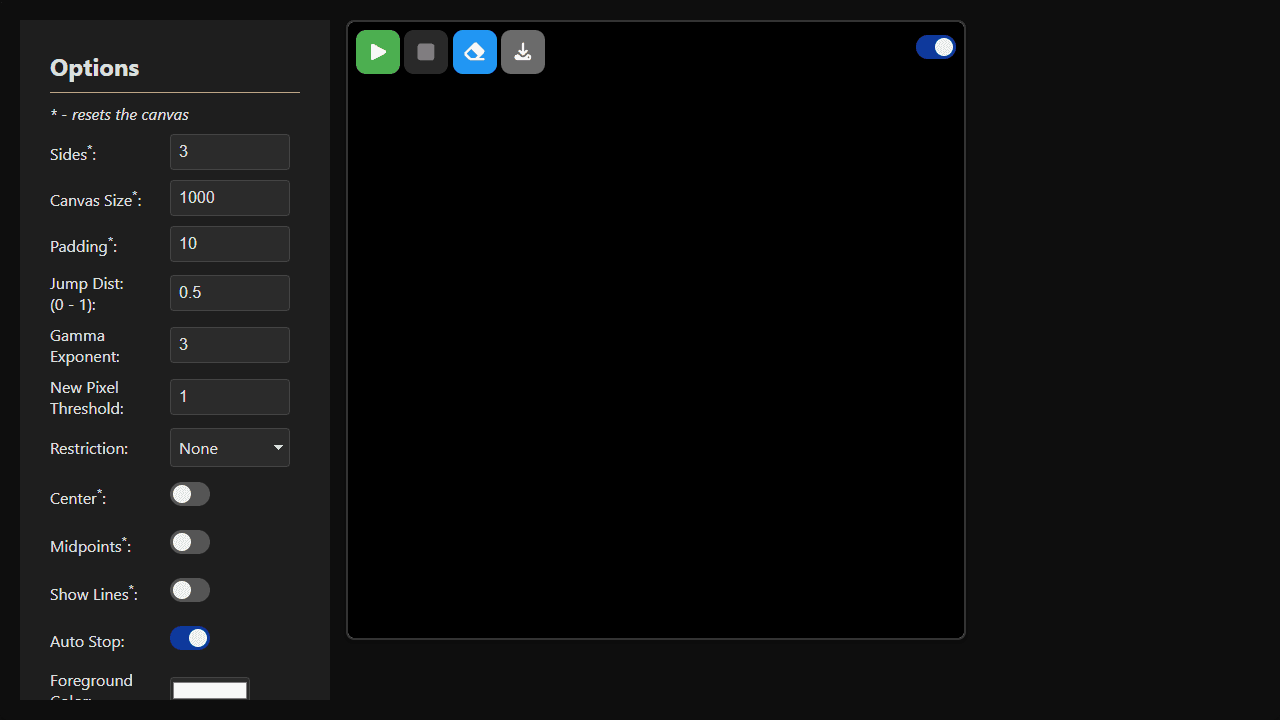
How to use
• **Objective:** Generate fractal patterns using the Chaos Game algorithm by repeatedly jumping between polygon vertices • **Basic Controls:** - Click Play button to start generating the fractal - Click Stop to pause generation - Click Erase to clear the canvas - Click Download to save your fractal as PNG - Toggle Live Rendering on/off to control real-time display • **Settings Panel:** - Click the menu button (three bars) to open options - Adjust Sides to change polygon shape (3=triangle, 6=hexagon, etc.) - Modify Jump Distance (0-1) to control how far each point moves toward vertices - Choose Restrictions to add rules (no-repeat, no-neighbor, etc.) - Enable Center or Midpoints to add extra vertices - Customize colors and visual settings • **Key Mechanics:** - Algorithm starts with random point, then repeatedly jumps partway to random vertices - Different settings create dramatically different fractal patterns - Auto Stop automatically pauses when fractal is nearly complete
Reviews
No written reviews yet. Be the first!
More from Interactive

An interactive particle sandbox. Drop sand, water, fire, and more and watch elements interact in a mesmerizing physics simulation.
by mohanad-80


