Prime Grid Visualizer
Explore prime numbers on an interactive grid — watch patterns emerge as primes light up across thousands of numbers. A beautiful way to see the structure in primes.
About Prime Grid Visualizer
Tap any number on the grid and watch it light up — then keep scrolling as the app highlights every prime up to 10,000, making visible the gaps, clusters, and diagonal streaks that mathematicians have puzzled over for centuries. You're not reading about prime numbers here; you're seeing them spread across the screen in real time.
It's a surprisingly absorbing tool for students and curious adults alike. The interactive layout makes it easy to notice things a textbook never quite conveys — how primes thin out as numbers grow, or how twin primes sit stubbornly close together. If you enjoy exploring mathematical structure visually, it fits naturally alongside other education apps that turn abstract ideas into something you can actually poke at. For a complementary experience, Graphing Calculator lets you plot prime-related functions and see those same patterns expressed as curves.
Works entirely in the browser with no account needed — a mouse or touchscreen both handle navigation well, and the app earns its keep most on a larger screen where the full grid can breathe.
Look inside
How to use
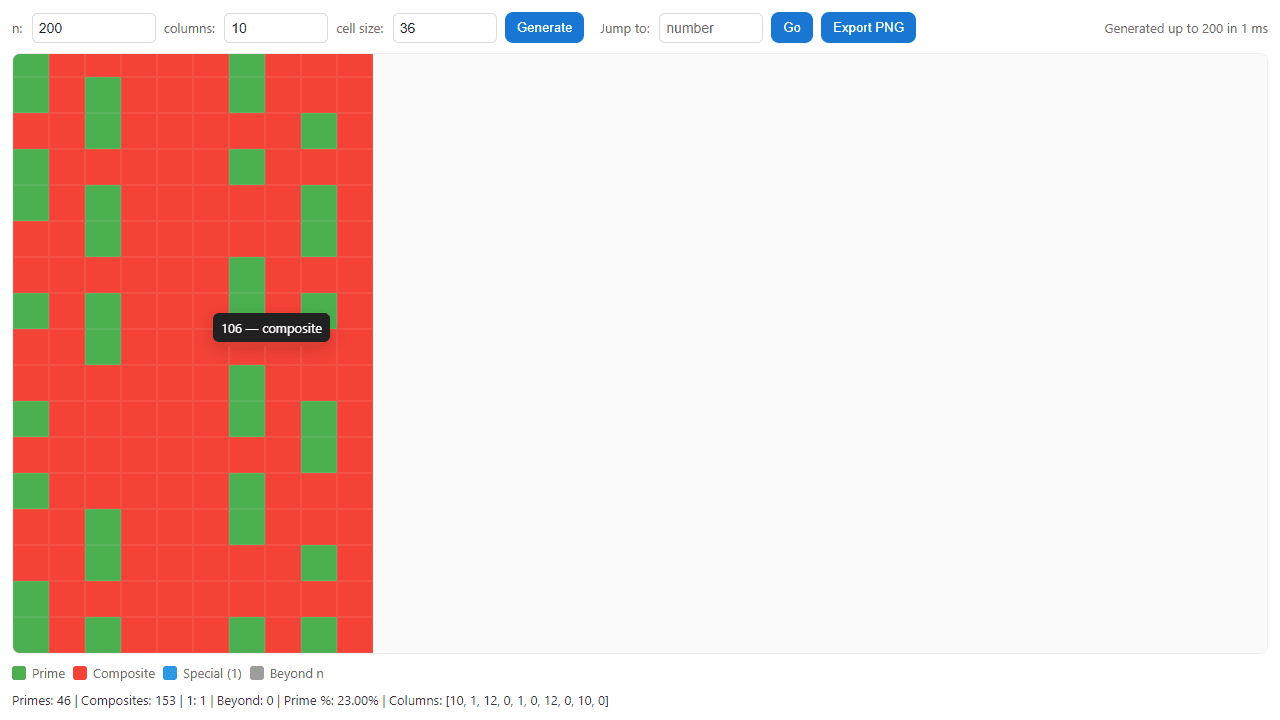
Explore prime numbers in an interactive grid visualization: **Goal:** Visualize prime number patterns by displaying numbers in a colored grid where green = prime, red = composite, blue = 1 (special case), grey = beyond your chosen limit. **Controls:** • Enter "n" value (upper limit), columns, and cell size in top controls • Click "Generate" to create/update the grid • Hover over any cell to see the number and its classification • Use "Jump to" field + "Go" button to navigate to specific numbers (highlights briefly) • Click "Export PNG" to save the current grid **Navigation:** • Scroll or drag within the grid area to explore • Jump feature automatically centers the target number in view **Settings:** • n: Maximum number to analyze (1-infinity) • columns: Grid width (5-200 columns) • cell size: Visual size of each number cell (6-80 pixels) **Stats:** Bottom panel shows prime count, composite count, percentage, and distribution across columns. The app uses an optimized algorithm to quickly identify primes even for large values of n.
Reviews
No written reviews yet. Be the first!
More from Education

A geography speed-quiz. Type country names against the clock — every one you nail lights up the map. Eight maps (world + every continent), three paces, leaderboards, percentile standings, and a per-answer rarity stat that shows how many other players named each country.
by geodude