Graph Theory
Visualize graph theory algorithms interactively. Draw nodes and edges, then run BFS, DFS, Dijkstra, and Kruskal on your graph.
About Graph Theory
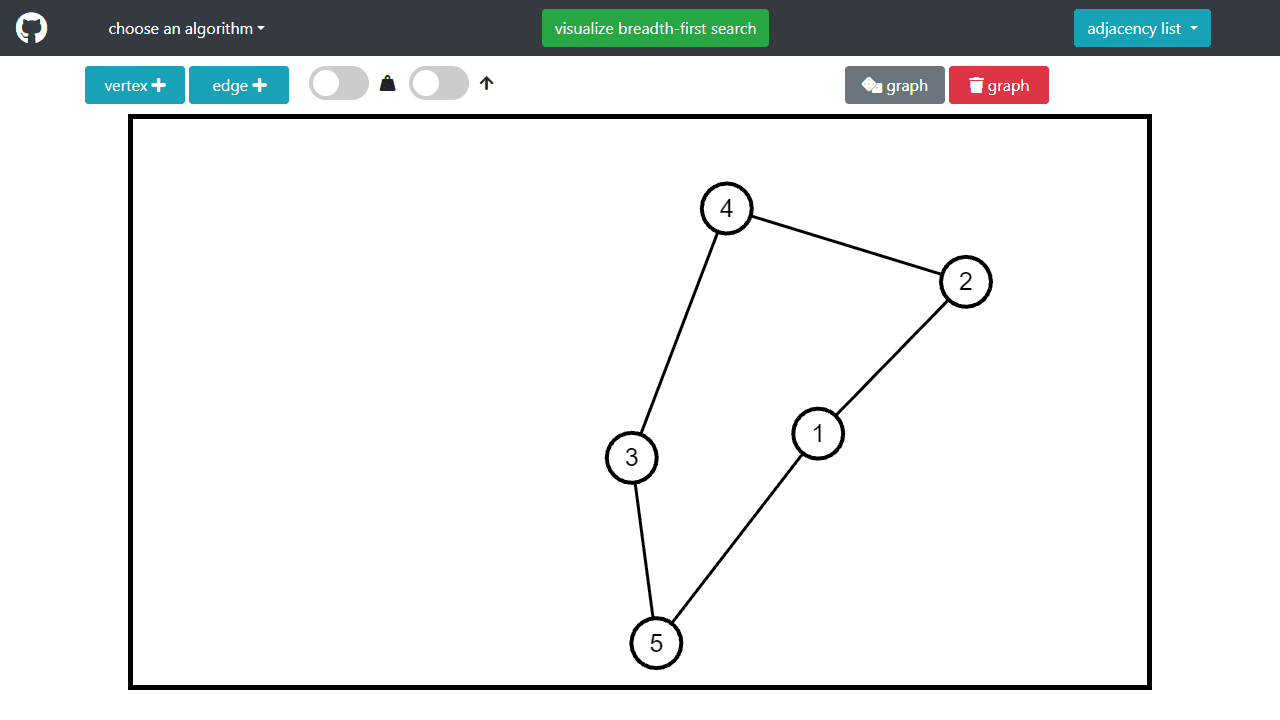
Draw a handful of nodes on a blank canvas, connect them with edges, and then watch a chosen algorithm move through your graph step by step. Graph Theory lets you build any network you like — small or sprawling — and run BFS, DFS, Dijkstra's shortest path, or Kruskal's minimum spanning tree directly on it. Each algorithm animates one move at a time, so you can see exactly why a node gets visited when it does.
It's a genuinely useful tool if you're studying for a computer science course or trying to build intuition that textbook diagrams never quite deliver. Construct a weighted graph with a tricky shortest path, run Dijkstra, and the result is usually more memorable than reading about it. For broader education apps, the catalog has plenty of other interactive tools worth browsing. If you want to explore functions visually on a coordinate plane instead, Graphing Calculator goes in a different direction but shares that same hands-on, draw-and-see approach.
A larger screen helps here because the node canvas expands to fill the display, giving you room to place more nodes without them crowding together — a laptop or tablet is noticeably better than a phone.
Look inside
How to use
This interactive tool lets you create graphs and visualize graph algorithms step-by-step. Creating graphs: • Click "vertex +" to add vertex mode, then click on canvas to place vertices • Click "edge +" to add edge mode, then click two vertices to connect them • Toggle switches for weighted edges (with numbers) or directed edges (with arrows) • Use "dice graph" for random graph or "trash graph" to clear all Running algorithms: 1. Choose algorithm from dropdown: BFS, DFS, Kruskal MST, or Dijkstra shortest-path 2. Select required vertices when prompted (some need 1 source, others need 2) 3. Click "visualize" button to watch algorithm animate Controls: • Mouse click to select vertices or place new ones depending on mode • Right dropdown shows graph representation (adjacency list/matrix) • Algorithms update in real-time if you modify the graph during visualization Note: Kruskal requires weighted, undirected graphs. Dijkstra requires weighted graphs.
Reviews
No written reviews yet. Be the first!
More from Education

A geography speed-quiz. Type country names against the clock — every one you nail lights up the map. Eight maps (world + every continent), three paces, leaderboards, percentile standings, and a per-answer rarity stat that shows how many other players named each country.
by geodude