Data Structures
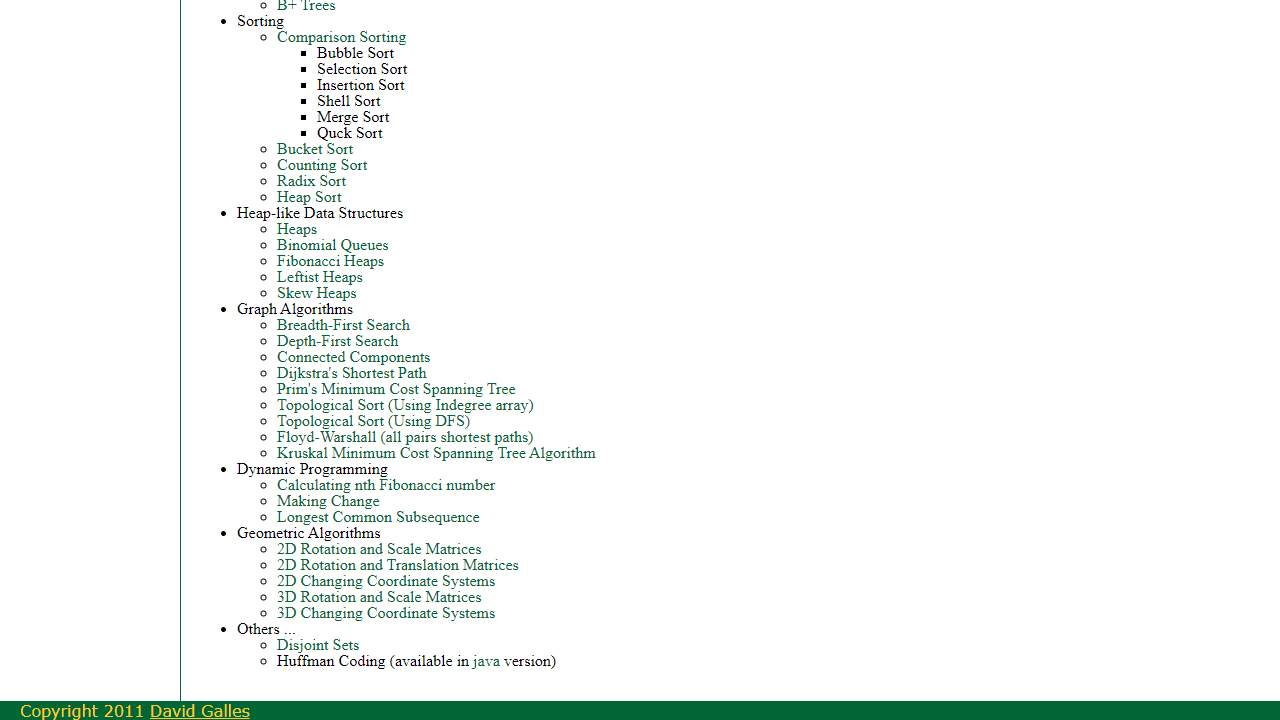
Interactive visualizations of 40+ data structures and algorithms — trees, heaps, graphs, hash tables, sorting, and more. A classic CS education resource.
About Data Structures
Pick a data structure — a red-black tree, a min-heap, a hash table with chaining — and watch it animate step by step as you insert, delete, or search. Data Structures covers more than 40 classic structures and algorithms drawn from a well-known open-source CS visualization project, letting you slow down the moments that textbook diagrams can only freeze in place.
It's aimed squarely at computer science students and anyone working through algorithms for the first time or brushing up before an interview. Seeing a quicksort partition happen in real time, or watching nodes rotate during an AVL rebalance, makes the logic click in a way that reading pseudocode rarely does. If you want to practice recalling that logic under pressure, Flash Cards is worth a look for building your own drill decks alongside this.
The full graph and tree canvases take up a lot of horizontal space, so a laptop or desktop will serve you better than a phone — bring one if you can. Browse more tools like this in education.
Look inside
How to use
This is an educational tool for learning data structures and algorithms through interactive visualizations. 1. Click on any data structure or algorithm from the main menu to open its visualization 2. Use the control buttons (typically "Insert," "Delete," "Find," etc.) to perform operations on the selected data structure 3. Enter values in the input field when prompted for data to add or search 4. Click "Run" or similar buttons to execute operations step-by-step 5. Use playback controls to pause, step forward/backward, or adjust animation speed 6. Watch as the visualization shows how data moves and changes within the structure The tool covers basics like stacks and queues, advanced topics like tree balancing and graph algorithms, plus sorting methods and dynamic programming. Each visualization demonstrates the internal workings of algorithms, showing exactly how data is organized, accessed, and modified. This helps you understand time complexity and implementation details that are difficult to grasp from textbooks alone. Navigate between different data structures using the main menu, and explore both array-based and linked implementations where available.
Reviews
No written reviews yet. Be the first!
More from Education
A geography speed-quiz. Type country names against the clock — every one you nail lights up the map. Eight maps (world + every continent), three paces, leaderboards, percentile standings, and a per-answer rarity stat that shows how many other players named each country.
by geodude