
Ripple Tank
WebGL wave simulator demonstrating reflection, diffraction, and interference patterns.
About Ripple Tank
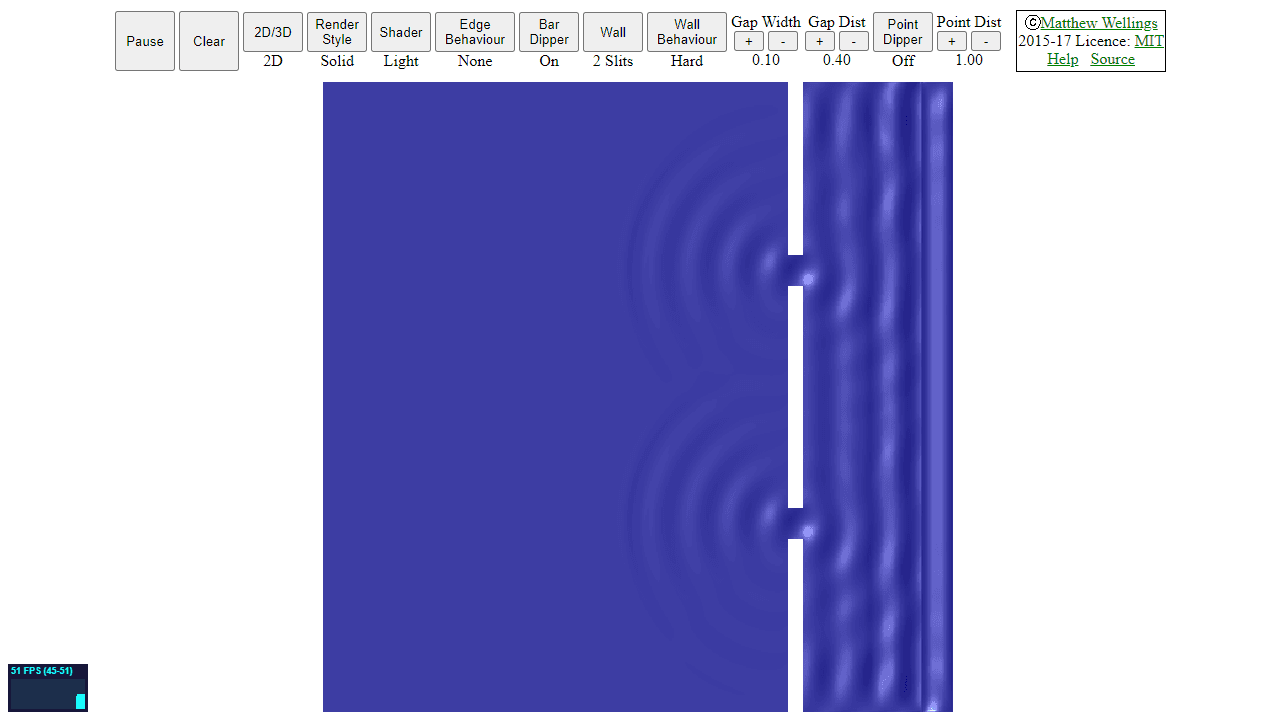
Click anywhere on the canvas and watch ripples spread outward, bounce off walls, and collide with each other in real time. Ripple Tank simulates how waves actually behave — place barriers to see diffraction bend waves around corners, or add a second source and watch interference patterns form as peaks and troughs either reinforce or cancel each other out. The physics here is genuine, not decorative.
It's the kind of tool that makes abstract textbook concepts suddenly click. Crank up the frequency and the wavelength visibly shortens. Position two emitters close together and the characteristic alternating bands of constructive and destructive interference appear almost immediately. If you enjoy hands-on physics toys like this, Fluid Simulation is worth a look too, though waves and fluid dynamics scratch noticeably different itches. Both live comfortably in the interactive category.
Ripple Tank runs entirely in WebGL, so it stays smooth in any modern browser — no install needed, and a mouse or touchscreen both work fine.
Look inside
How to use
This is a wave physics simulator that demonstrates water ripple behavior including reflection, diffraction, and interference patterns. • Click anywhere in the tank to create ripples • Hold and drag to create continuous waves • Use keyboard controls to adjust settings: - R: Reset the simulation - Space: Pause/unpause - Arrow keys: Navigate view - +/- keys: Zoom in/out • Right-click to place barriers or walls that waves will reflect off • Drag barriers to reposition them after placement • The simulator shows realistic wave physics: - Waves bounce off walls and barriers - Multiple wave sources create interference patterns - Waves bend around obstacles (diffraction) - Moving sources demonstrate Doppler effect • Observe how waves constructively interfere (amplify) when peaks align, and destructively interfere (cancel) when peaks meet troughs • Use this tool to experiment with wave behavior concepts commonly taught in physics classes The simulation runs entirely in your browser using WebGL for real-time calculations.
Reviews
No written reviews yet. Be the first!
More from Interactive

An interactive particle sandbox. Drop sand, water, fire, and more and watch elements interact in a mesmerizing physics simulation.
by mohanad-80


