
WKT Playground
Visualize geographic shapes on an interactive OpenStreetMap. Paste WKT geometry strings and see polygons, lines, and points plotted instantly on the map.
About WKT Playground
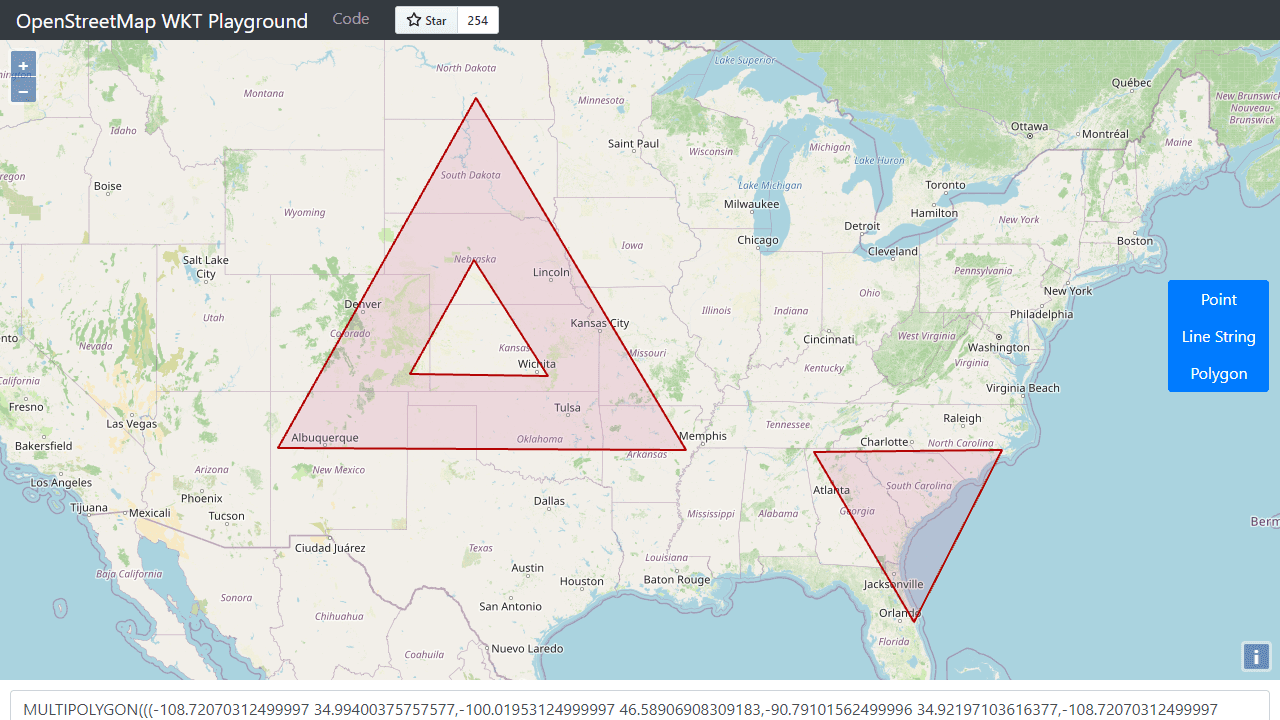
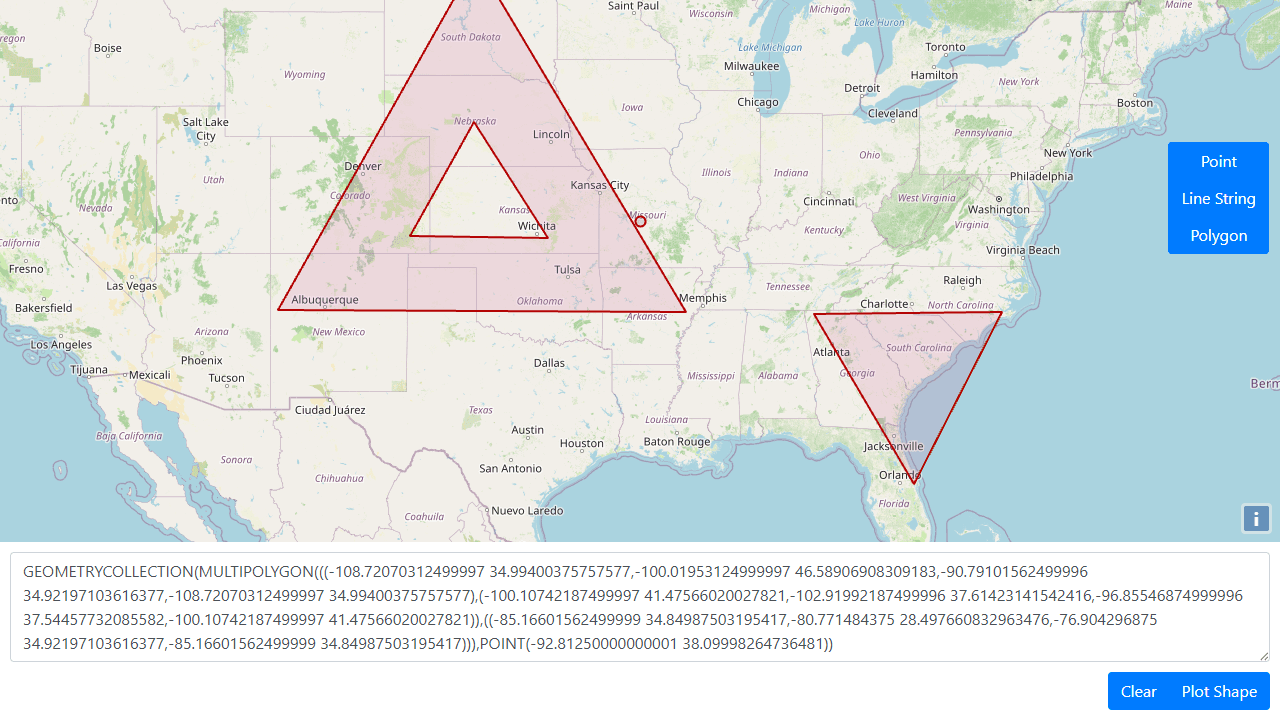
Paste a WKT geometry string — a polygon boundary, a linestring, a cluster of points — and WKT Playground plots it instantly on a live OpenStreetMap canvas. No configuration, no sign-in. The map updates the moment you paste, so you can visually verify whether that coordinate ring actually closes where you expect it to, or spot why a linestring is cutting through the wrong county.
It's a handy scratch pad for developers and GIS analysts who need a quick sanity check on raw geometry data. Copy a MULTIPOLYGON out of a database query, drop it in, and see the shape rather than squinting at numbers. The tool handles points, lines, polygons, and multi-geometry types without fuss. Find it alongside other developer utilities in the Tools category.
Works entirely in the browser with no data sent anywhere — useful when the geometry contains sensitive location data. A keyboard shortcut clears the canvas for the next string.
Look inside
How to use
This tool visualizes WKT (Well-Known Text) geometric shapes on an interactive OpenStreetMap. • Enter WKT text in the text area at the bottom (points, lines, polygons, etc.) • Click "Plot Shape" to display your geometry on the map • The map will automatically zoom to fit your plotted shape • Use the vertical button panel on the right to select drawing mode: Point, Line String, or Polygon • Click on the map to draw new shapes in the selected mode • Drawing automatically updates the WKT text in the text area • Click "Clear" to remove all shapes from the map and clear the text area • Pan the map by clicking and dragging • Zoom using mouse wheel or map controls • Invalid WKT text will highlight the text area in red • The tool converts between different coordinate systems automatically • Use this for testing WKT strings, creating geometric data, or visualizing spatial information
Reviews
No written reviews yet. Be the first!
More from Tools

A witchy weather app where Morgana the Witch peers into the meteorological beyond. Get current conditions, hourly forecasts, and a 7-day outlook for any city in the world — then check back tomorrow to see if the Witch's prophecy held, or if she "cast a spell" to change the weather.
by mercury


