
D&D Spell Companion
Browse 319 spells and 334 monsters from the D&D SRD. Filter by class, level, school, creature type, and challenge rating. Save spell lists for your characters and share builds with the community.
About D&D Spell Companion
Browse all 319 spells from the D&D SRD in seconds — filter by class, level, school of magic, or any combination you need. Whether you're building a Wizard's arcane arsenal or checking whether a Paladin can actually cast Counterspell (they can't), the filters cut straight to the answer instead of making you flip through a rulebook. Save custom spell lists tied to your characters and share finished builds with other players.
The monster side covers 334 creatures with filters for creature type and challenge rating, which makes encounter planning genuinely fast. Hunting for CR 5 undead to threaten a mid-level party? A few taps and you have a shortlist. All data comes from the official Systems Reference Document under the CC-BY-4.0 license, so it's legal to share and always accurate to the source.
It sits comfortably alongside other reference and productivity tools on Launch Arcade. It works best at the table on a phone or tablet — no account required to search, though you'll want to sign in to save your character spell lists between sessions.
Look inside
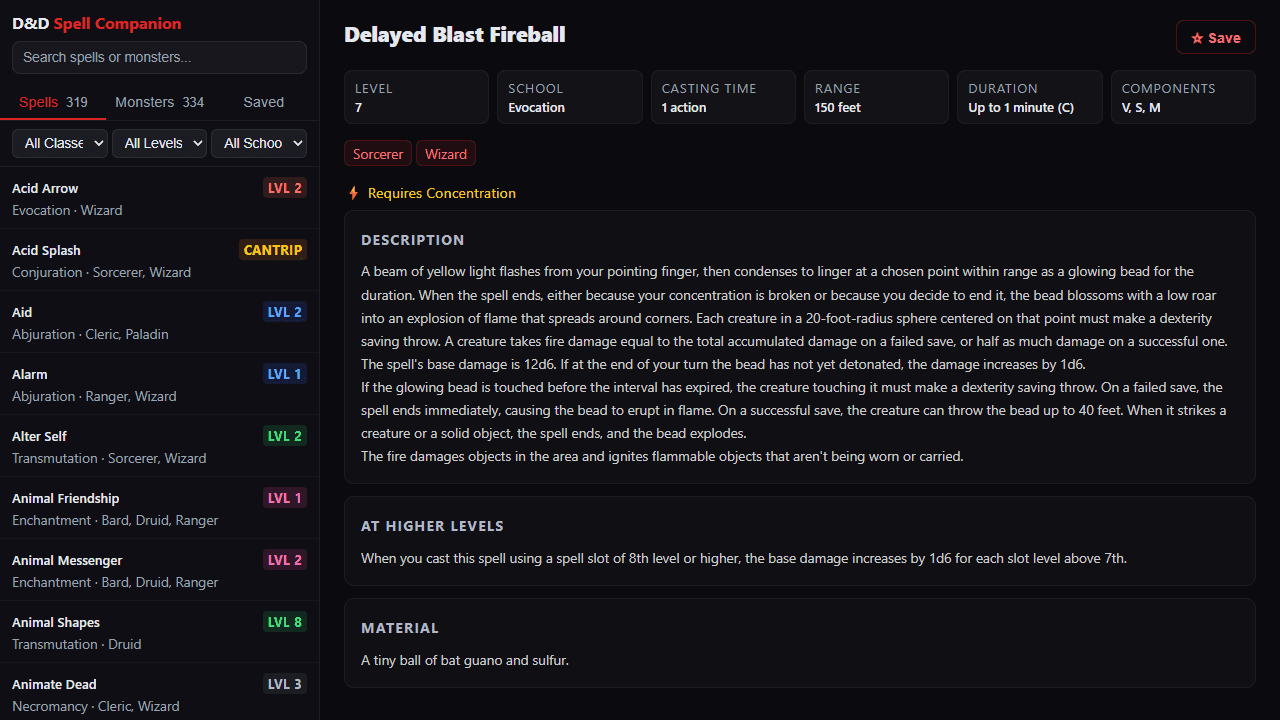
How to use
This tool provides quick access to D&D 5e spells and monsters for tabletop gaming sessions. • Use the search bar to find spells or monsters by name • Filter content using the dropdown menus (level, school, class, etc.) • Switch between "Spells" and "Monsters" tabs at the top of the sidebar • Click any item in the left list to view full details in the main panel • Save favorites by clicking the "Save" button on any spell or monster detail page • View your saved items in the "Saved" tab • Create spell lists by clicking "New List" and adding spells to organize by campaign or character • Share your spell lists with other players using the share button • Use "Load More" at the bottom of lists to see additional results • On mobile devices, use the floating button to toggle between the sidebar and detail view The tool works entirely in your browser - no account required. Perfect for quick reference during gameplay or character building.
Reviews
No written reviews yet. Be the first!
More from Tools

A witchy weather app where Morgana the Witch peers into the meteorological beyond. Get current conditions, hourly forecasts, and a 7-day outlook for any city in the world — then check back tomorrow to see if the Witch's prophecy held, or if she "cast a spell" to change the weather.
by mercury


