
EMI Calculator
Calculate equated monthly installments for any loan amount.
About EMI Calculator
Punch in a loan amount, an interest rate, and a repayment period — the calculator instantly breaks down your equated monthly installment, total interest payable, and the full cost of the loan. It's the kind of quick sanity check that's useful before signing anything: a car loan, a personal advance, a credit line you're considering. Change one number and every figure updates on the spot.
The math follows the standard EMI formula used by banks, so the results are directly comparable to what a lender will quote you. No account needed, no data stored — just inputs and answers. If you're working through a home loan scenario specifically, Mortgage Calculator goes in a different direction and adds a full amortization schedule. For broader borrowing questions, the finance category has several related tools worth exploring.
Works well on a phone; the three input fields are easy to tap through in under a minute.
Look inside
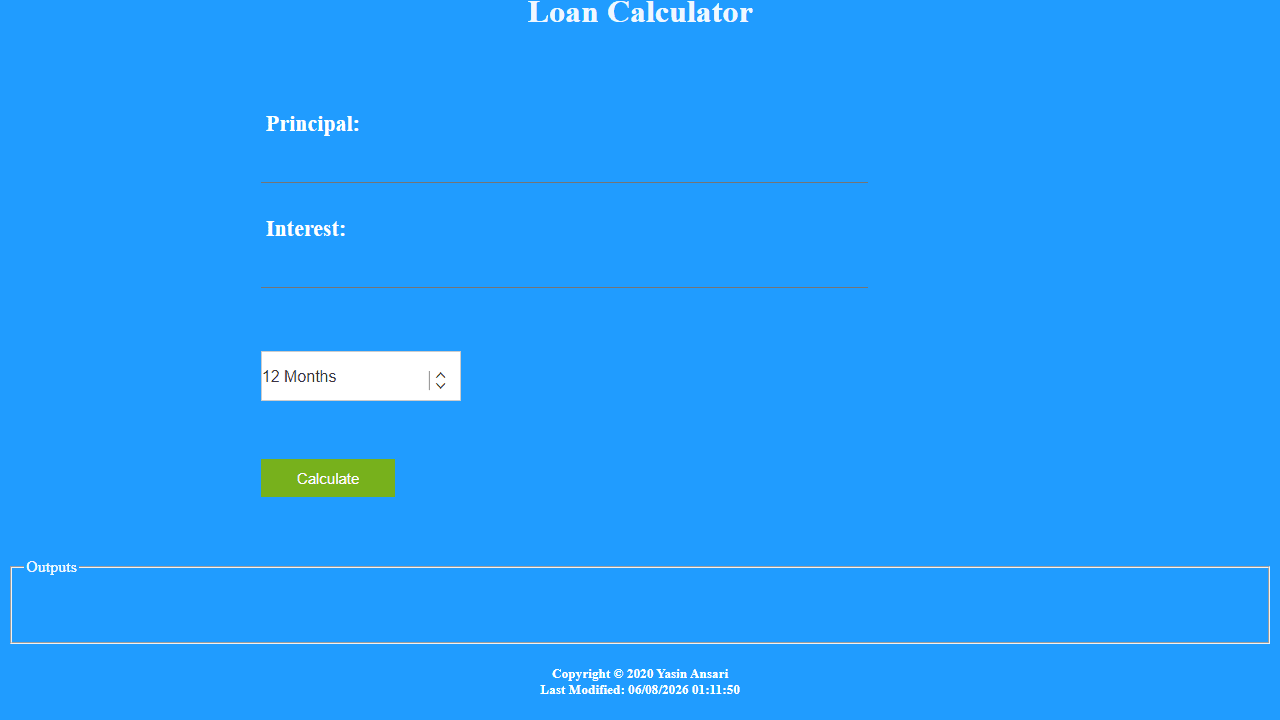
How to use
This tool calculates your monthly loan payment (EMI - Equated Monthly Installment) based on loan details. 1. Enter the loan amount in the "Principal" field using your keyboard 2. Enter the annual interest rate as a percentage in the "Interest" field 3. Select your loan duration from the dropdown menu (12 to 72 months) 4. Click the "Calculate" button to compute your monthly payment 5. View results in the "Outputs" section below The calculator will show your monthly EMI amount, helping you plan loan repayments for personal loans, car loans, or other financing needs. All fields must be filled before calculating. Use mouse to navigate between fields or click the dropdown to select loan terms.
Reviews
No written reviews yet. Be the first!


