
Budget Maker
Personal budget dashboard with interactive charts, income and expense tracking, and real-time balance calculations.
About Budget Maker
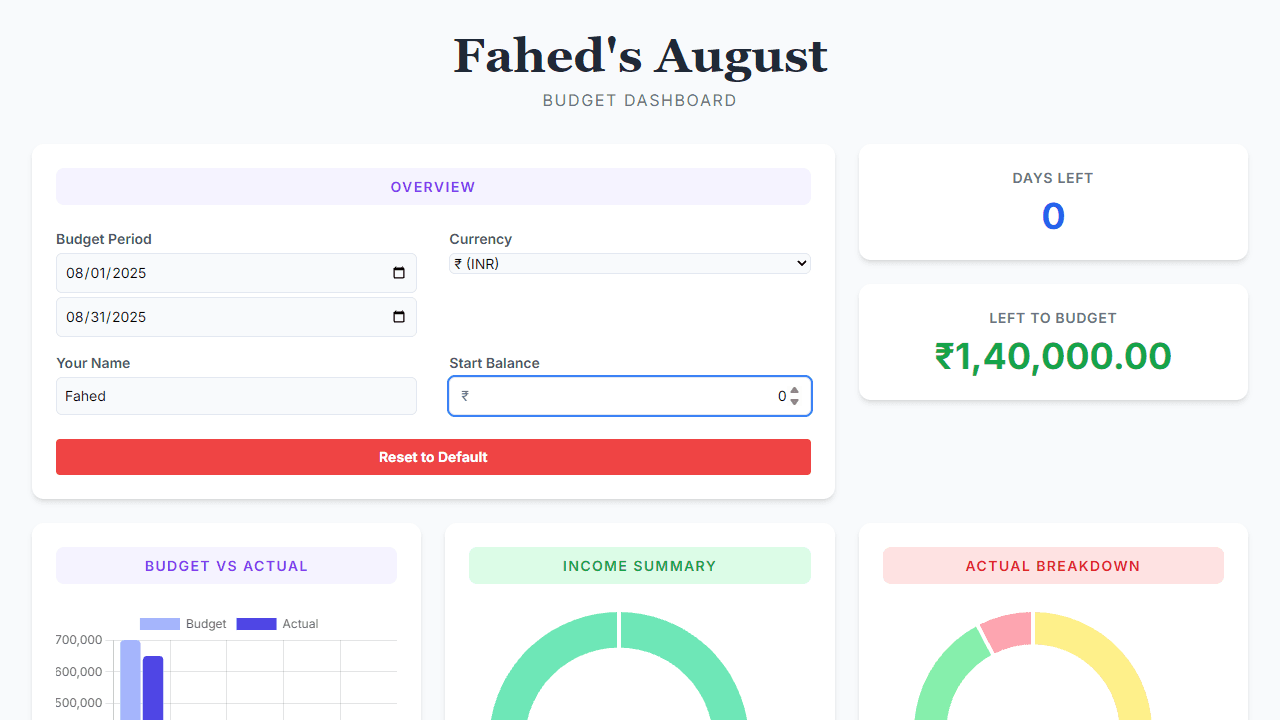
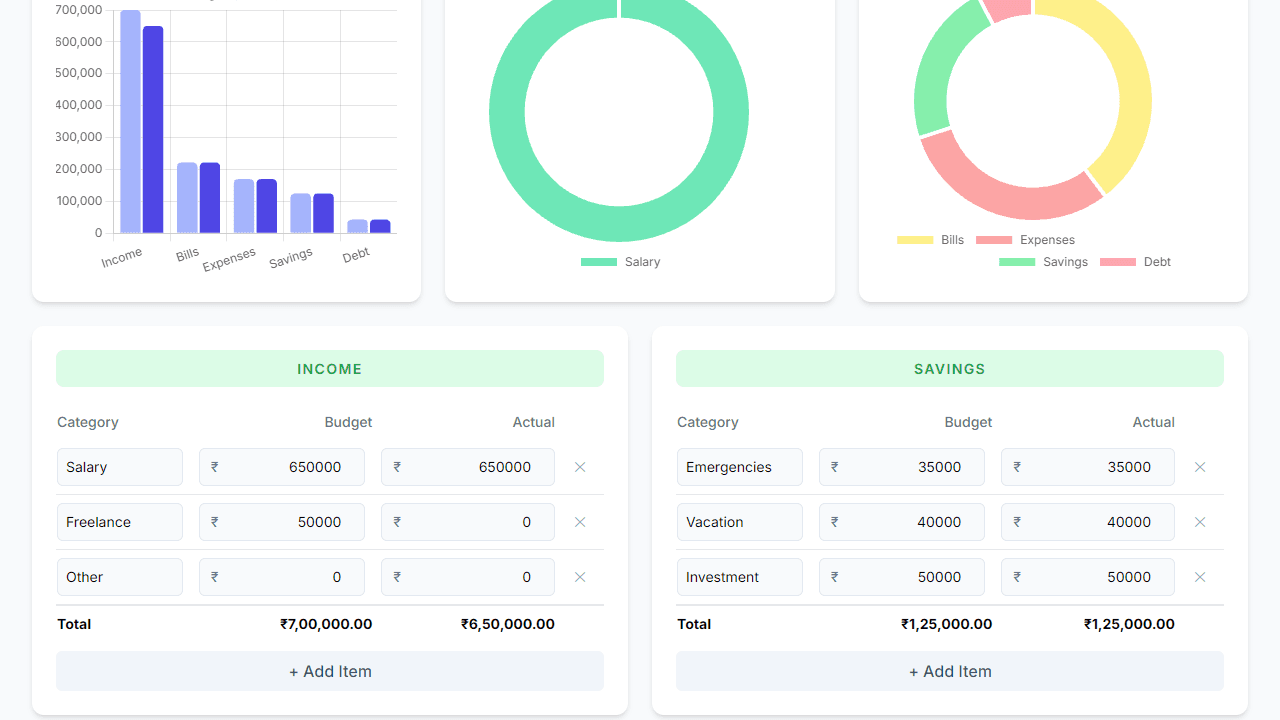
Enter your income, add your expenses, and watch a live dashboard tell you exactly where your money stands. Budget Maker organizes everything into interactive charts — by category, by week, by whatever breakdown helps you spot the leak in your finances. The balance recalculates the moment you make a change, so there's no waiting, no manual math, and no spreadsheet gymnastics.
It's a clean tool for anyone who wants a clear picture of monthly cash flow without signing up for a full banking service. If you also want to see how debt fits into that picture, Loan Calculator pairs well for running payment scenarios alongside your budget. Both live in the broader finance category if you want to explore more money tools.
Budget Maker works entirely in the browser with no account required — just open it, start entering numbers, and your data stays local to your session.
Look inside
How to use
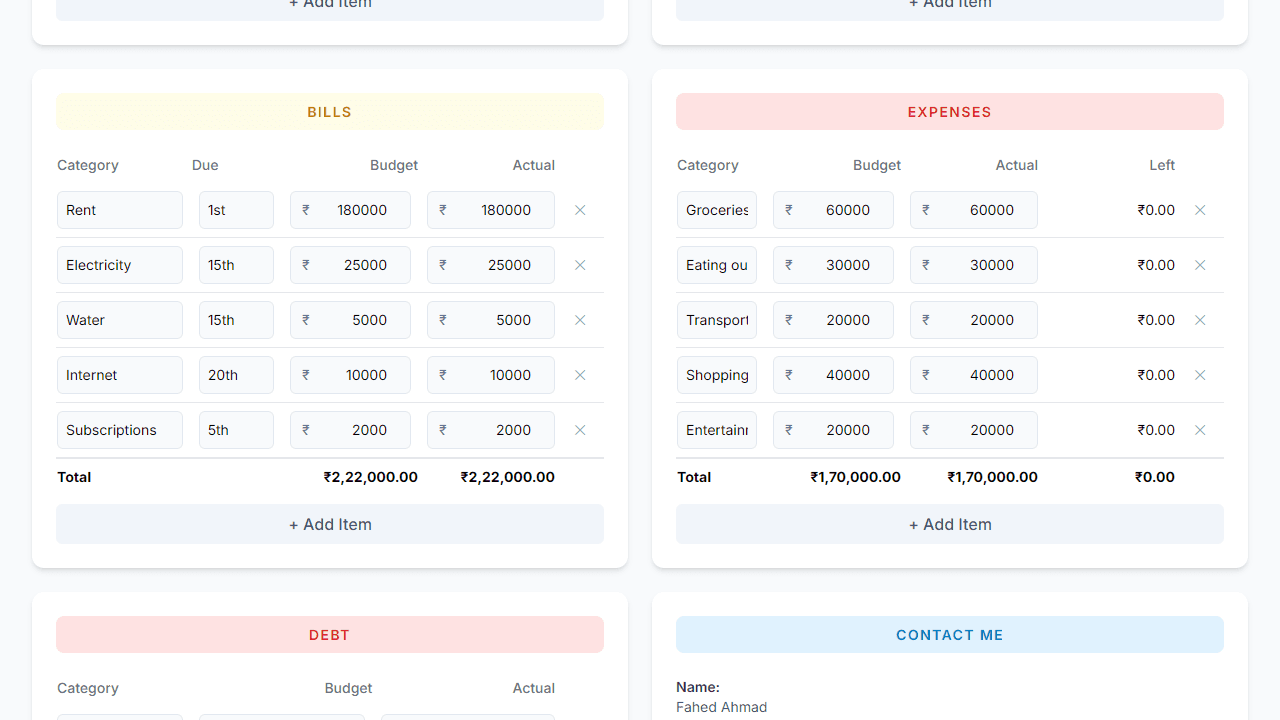
• Set your budget period, name, and currency in the Overview section at the top • Click on any number or category name in the tables to edit it directly • Add new budget items using the "+ Add Item" buttons below each table • Remove items by clicking the trash icon next to any row • Track five categories: Income, Bills (with due dates), Expenses, Savings, and Debt • View real-time charts showing budget vs actual spending, income breakdown, and expense distribution • Monitor "Days Left" in your budget period and "Left to Budget" (unallocated income) • All data saves automatically in your browser - no account needed • Use the red "Reset to Default" button to clear all data and start over • The dashboard calculates totals and updates charts automatically as you make changes • Works on desktop, tablet, and mobile devices
Reviews
No written reviews yet. Be the first!


