Pixel Art · 8 apps
Browser pixel art tools
Pixel art tools are well-served on desktop (Aseprite, Pyxel, etc.) but the browser-native options are quieter. This page surfaces the ones worth knowing about — editors that handle layers, frame-by-frame animation, palette swapping, and sprite sheet export, all without leaving the tab. Useful when you just want to sketch a sprite without firing up your full pipeline.
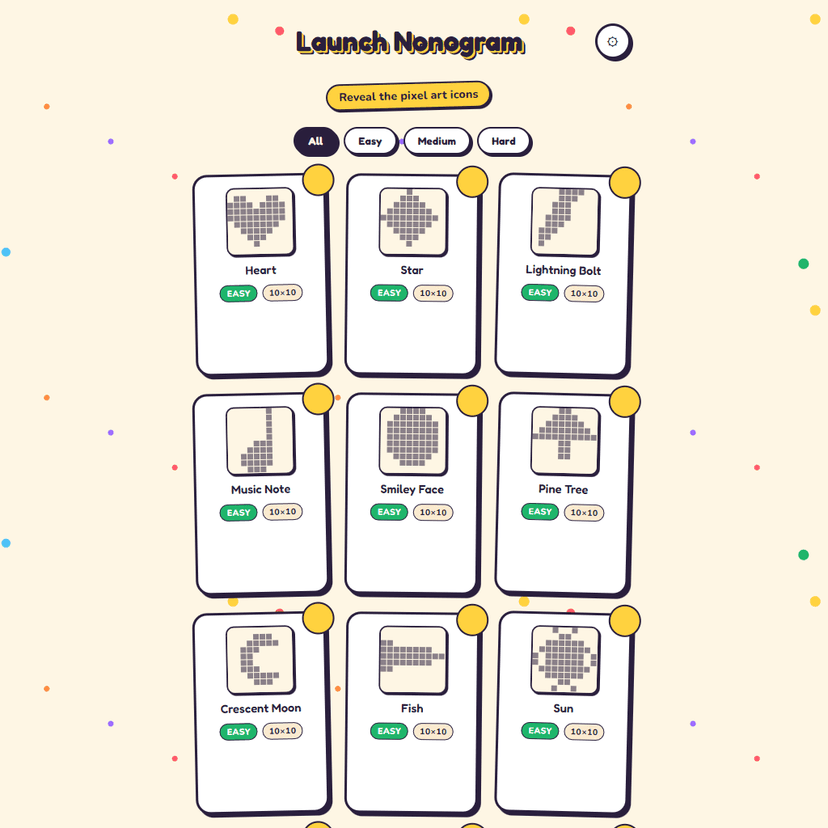
A nonogram (Picross) puzzle game with 40 hand-crafted pixel-art puzzles. Fill cells by following the row and column number clues to reveal hidden icons — rockets, skulls, snowflakes, and more. Filter by Easy, Medium, or Hard, track your best times, and reveal full-color pixel art when you solve each puzzle.
by Launch Arcade

Create pixel art on a grid canvas and publish to the community wall. Draw with 24 colors, use fill and eraser tools, undo/redo, and choose from 8x8, 16x16, or 32x32 grids. Your work-in-progress saves to the cloud automatically.
by Launch Arcade

Draw pixel art with pencil, fill, and eyedropper tools. Multiple grid sizes, palette presets, cloud saves, community gallery, and social sharing.
by Launch Arcade

Transform videos into real-time ASCII pixel art. Upload a video or use your webcam and watch it render as animated text characters on a canvas.


A polished 2D side-scrolling platformer with parallax backgrounds, sprite animations, and multiple levels. Run, jump, and explore hand-crafted stages.


Transform your webcam or video feed into pixel art in real-time using WebGL shaders. Adjust pixelation, colors, and effects.