
Trade Analyzer 2026
Fantasy football trade analyzer. Add players to each side and get an instant verdict.
About Trade Analyzer 2026
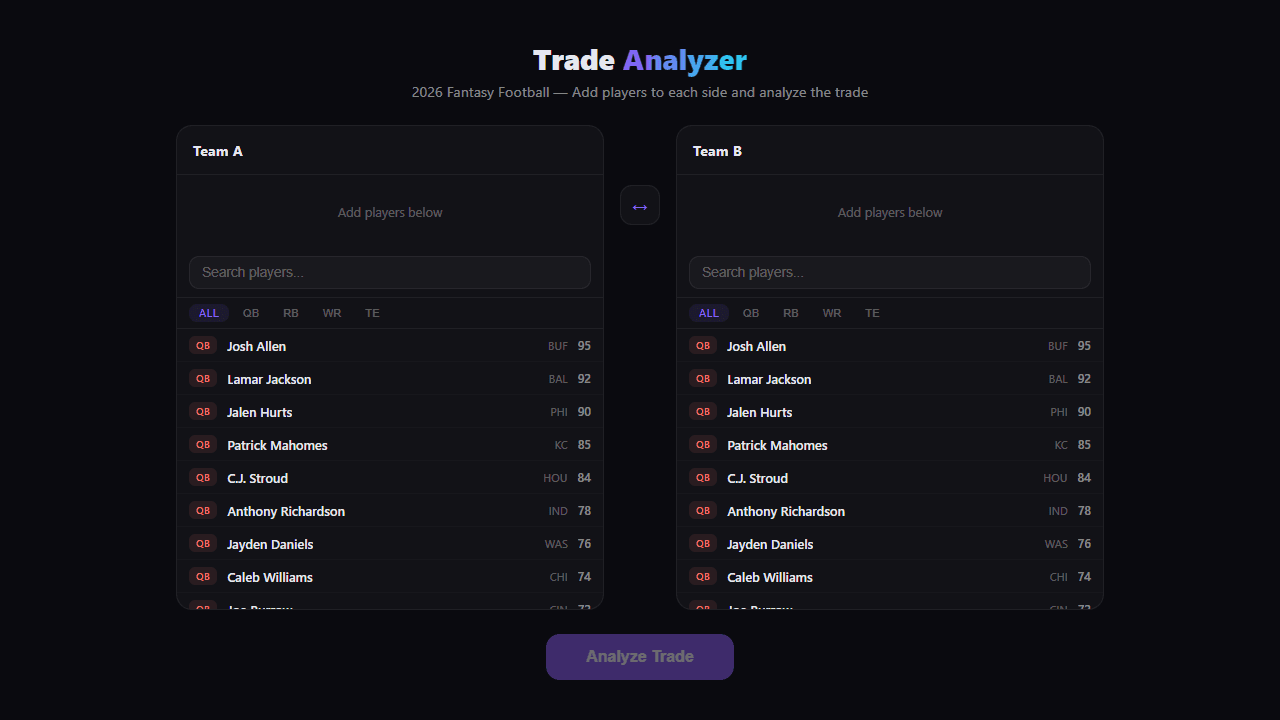
Drop a player into each side of a trade, hit analyze, and Trade Analyzer 2026 returns an instant verdict on who's winning the deal. It pulls from current fantasy valuations, so you're not eyeballing gut feelings — you're looking at a real breakdown of each player's relative worth before you accept or counter.
It's most useful mid-season, when injured starters and breakout pickups make values shift fast. Run a quick check before replying to a leaguemate's offer and you'll rarely leave value on the table. If you're building your roster from scratch rather than tweaking it, Mock Draft 2026 goes in a different direction — full draft simulation against AI opponents — but covers the same fantasy football obsession. More gaming tools like this live in the catalog if you want to round out your prep.
The tool works entirely by mouse or touch; no keyboard shortcuts needed, so it's just as comfortable on a phone during your commute as it is on a desktop before your trade deadline hits.
Look inside
How to use
This tool helps you evaluate fantasy football trades by comparing player values and projections. 1. Select players from the dropdown menus to build your trade scenario 2. Add players to Team A (your team) and Team B (opponent's team) using the respective sections 3. Click "Add Player" buttons to include multiple players in each side of the trade 4. The analyzer automatically calculates total projected points, positional value, and trade fairness 5. Use mouse clicks to navigate between different player categories (QB, RB, WR, TE) 6. Review the trade analysis summary that shows which side benefits more 7. Green indicators show favorable trades, red shows unfavorable ones 8. Click "Clear Trade" to start over with a new trade scenario 9. Use the comparison charts to visualize player performance differences The tool considers factors like projected points, positional scarcity, and season-long value to determine trade equity.
Reviews
No written reviews yet. Be the first!
More from Gaming Tools

Roll any dice for tabletop RPGs. All standard dice (d4-d100), custom notation (2d6+4), advantage/disadvantage, modifiers, and roll history.
by Launch Arcade


