
Character Counter
Count characters, words, and bytes in your text instantly. Supports Korean character counting rules used in the NEIS education system.
About Character Counter
Paste or type any text and Character Counter instantly shows you the character count, word count, and byte size — no button press required. It also applies the specific counting rules used by South Korea's NEIS school administration system, where Korean syllable blocks are counted differently from ASCII characters. If you've ever had a submission rejected because your editor counted characters one way and the form counted them another, this closes that gap.
It's a focused tool with no setup: open it, drop in your text, read the numbers. That makes it especially useful on mobile, where you can paste directly from a messaging app and check your count before sending. If you enjoy small, single-purpose productivity tools like this one, there's a lot more in that category. For something that works the other direction — measuring how fast you produce text rather than how much — Typing Speed Test is worth a look.
No account, no settings to configure. Works entirely in the browser.
Look inside
How to use
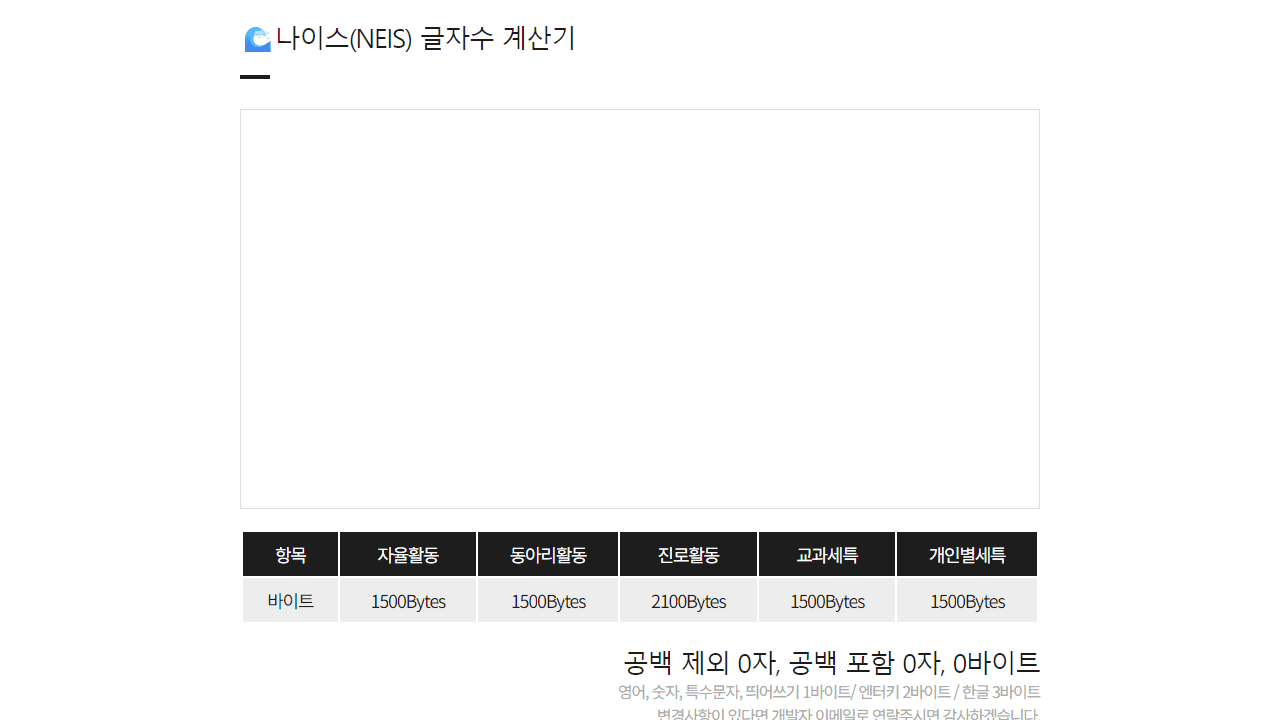
This tool calculates character byte count using the NEIS (Korean education system) counting method, which is useful for text submissions with specific byte limits. • Type or paste your text into the large text area • The counter updates automatically as you type • View real-time results showing: - Character count without spaces - Character count with spaces - Total byte count using NEIS rules Byte counting rules: • English letters, numbers, special characters, and spaces = 1 byte each • Enter/line breaks = 2 bytes each • Korean characters = 3 bytes each The reference table shows byte limits for different Korean school record categories (1500-2100 bytes depending on type). Your text is automatically saved in your browser, so you won't lose your work when you refresh the page. Use this tool to ensure your Korean school records, reports, or other NEIS submissions stay within the required byte limits before submitting them to the system.
Reviews
No written reviews yet. Be the first!
More from Tools

A witchy weather app where Morgana the Witch peers into the meteorological beyond. Get current conditions, hourly forecasts, and a 7-day outlook for any city in the world — then check back tomorrow to see if the Witch's prophecy held, or if she "cast a spell" to change the weather.
by mercury


