
HTML to Markdown
Paste HTML and get clean Markdown output instantly. A live converter for turning web content into readable, portable Markdown text.
About HTML to Markdown
Paste any HTML — a blog post, a scraped page, a documentation snippet — and watch it convert to clean Markdown in real time. No configuration required. The converter strips tags, preserves structure like headers and links, and hands you portable text you can drop straight into a README, a notes app, or a static site generator.
It's a small but genuinely useful tool for developers and writers who constantly shuttle content between web formats. If you also work with tabular data, Table Magic handles CSV, SQL, and HTML table conversions in a similar paste-and-go style. Both live in the broader tools category alongside other no-friction utilities.
The app runs entirely in the browser, so nothing you paste leaves your machine — handy when working with internal content. Keyboard-heavy users will feel at home: paste, scan the output, copy, done.
Look inside
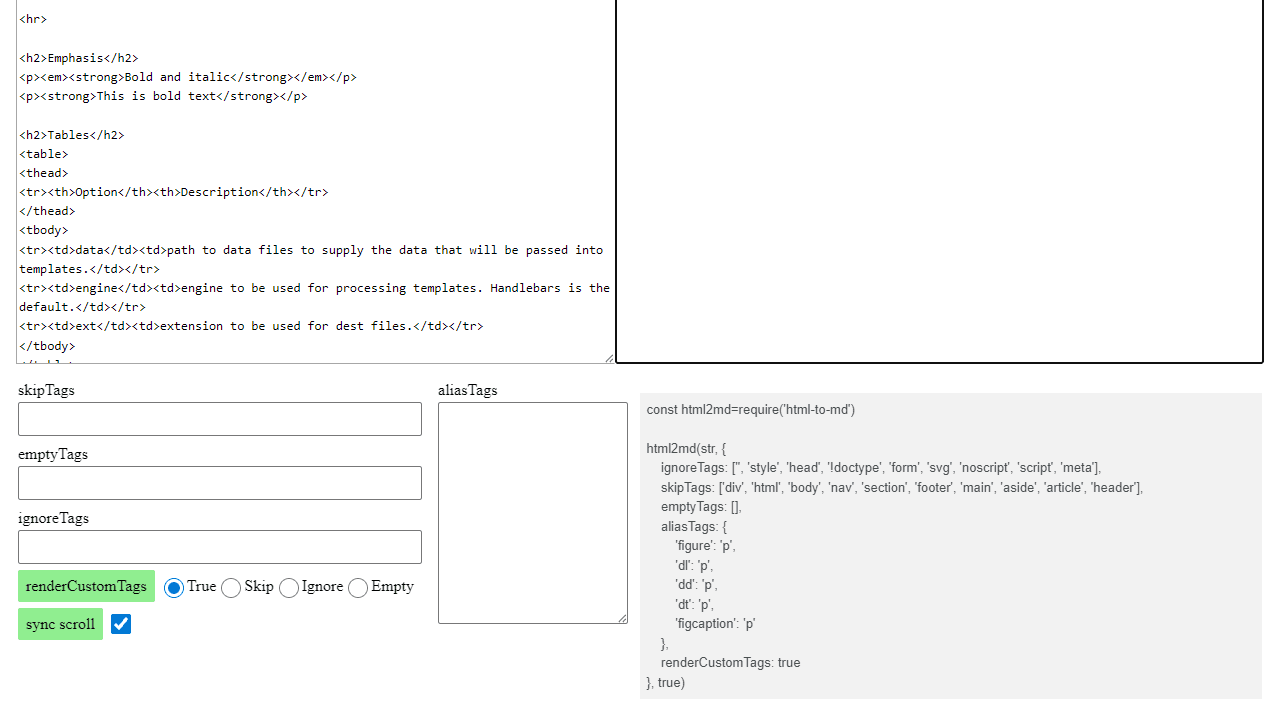
How to use
This tool converts HTML code into Markdown format. Useful for cleaning up web content or converting between markup languages. • Paste or type HTML code in the left text area • The converted Markdown appears automatically in the right text area • Use the top tabs to switch between two modes: - "HTML → MD": Direct HTML to Markdown conversion - "MD → HTML → MD": Test conversion accuracy by going from Markdown to HTML and back • Configure conversion options using the form controls below: - skipTags: HTML tags to ignore (keep content but remove tags) - emptyTags: Tags to completely remove with their content - ignoreTags: Tags to strip entirely - aliasTags: Replace one tag type with another - renderCustomTags: How to handle non-standard HTML tags • Check "sync scroll" to link scrolling between input and output areas • The tool processes valid HTML only - malformed HTML may produce unexpected results • Copy the generated Markdown from the output area when satisfied with results
Reviews
No written reviews yet. Be the first!
More from Tools

A witchy weather app where Morgana the Witch peers into the meteorological beyond. Get current conditions, hourly forecasts, and a 7-day outlook for any city in the world — then check back tomorrow to see if the Witch's prophecy held, or if she "cast a spell" to change the weather.
by mercury


