About Word Search
Scan a grid of scrambled letters and drag across hidden words before you've found them all — that's the whole game, and it's oddly satisfying every time. Words run horizontally, vertically, and diagonally, so a quick glance rarely cuts it. Your eye learns to slow down and actually read the noise.
It's a clean, low-pressure entry in the casual puzzle games catalog. No timer breathing down your neck, no lives to lose. If you enjoy grid-based challenges, Launch Nonogram scratches a similar methodical itch with pixel-art puzzles worth checking out after a few rounds here.
Works best on a larger screen where the full grid is visible without scrolling — mouse or trackpad, no special controls needed.
Look inside
How to use
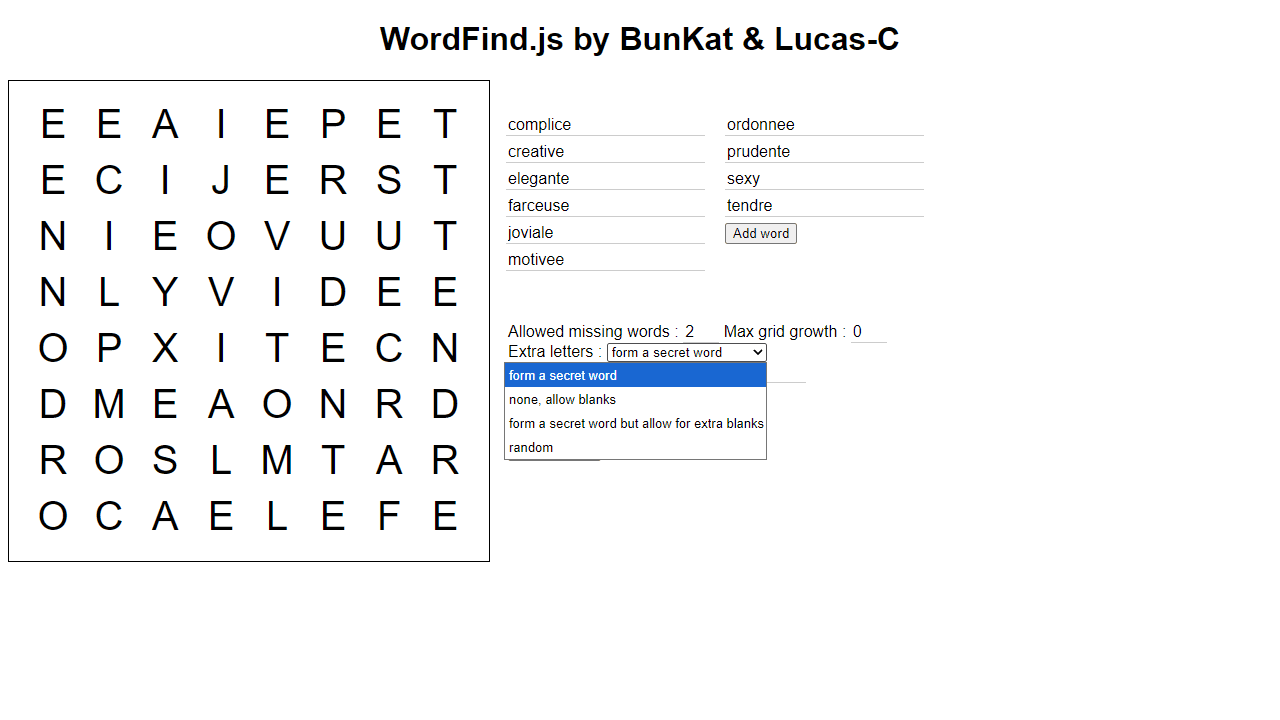
• Add words to search for by clicking "Add word" and typing them in • Click "Create grid" to generate a new puzzle with your words hidden in the letter grid • Find words by clicking and dragging from the first letter to the last letter of each word • Words can be placed horizontally, vertically, or diagonally in any direction • Found words will be highlighted and crossed off the word list • Use "Solve Puzzle" button to reveal all remaining words if you get stuck • Customize puzzle settings before creating: - Allowed missing words: how many words can be skipped if they don't fit - Max grid growth: how much the grid can expand to fit words - Extra letters: choose random letters or form a secret word in empty spaces • The goal is to find all hidden words in the grid
Reviews
No written reviews yet. Be the first!
More from Games

Higher or lower, for cardboard. Two cards face off — pick the one worth more and your streak climbs. One wrong call ends the run. Play the seeded Daily, a quick Round of 10, or chase an Endless high score, then share your streak.
by CollX