Tangram
Classic Chinese puzzle game. Arrange geometric shapes to match the target pattern across 179 levels.
About Tangram
Seven geometric pieces — triangles, a square, a parallelogram — and a silhouette to fill exactly. That's the whole premise of Tangram, and it's quietly compelling. You rotate and flip the shapes, nudging them into place until every edge lines up with the target outline. Some silhouettes look simple and fool you; others look impossible and click into place faster than expected.
The 179 levels move through animals, objects, and abstract forms, giving the puzzle variety without changing the rules. It's the kind of puzzle game that's easy to pick up for two minutes and surprisingly hard to put down. If you prefer puzzles built on logic grids rather than spatial rotation, Launch Nonogram goes in a different direction but scratches the same patient, deliberate thinking.
A larger screen helps here because the full shape tray and target silhouette sit side by side without overlap, making it easier to judge angles at a glance. Mouse or trackpad works best — precise clicks beat touch when you're aligning a thin triangle edge.
Look inside
How to use
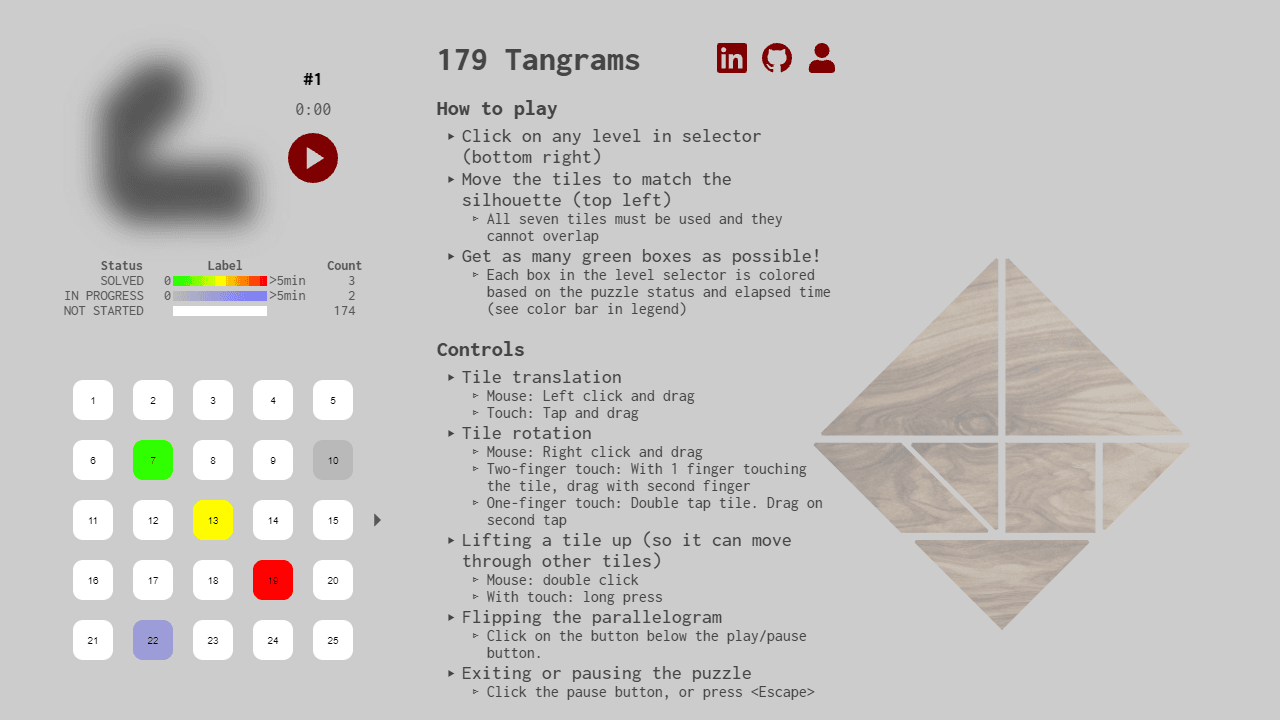
• Objective: Arrange all seven puzzle pieces to match the given silhouette shape without overlapping • Starting: Click any level from the selector at bottom right to begin. Timer starts automatically. • Moving pieces: - Mouse: Left click and drag to move, right click and drag to rotate - Touch: Tap and drag to move, use two fingers or double-tap then drag to rotate • Additional controls: - Double click (mouse) or long press (touch) to lift a piece so it can pass through others - Click flip button to mirror the parallelogram piece - Click pause button to stop timer • Solving: Use all seven pieces to fill the silhouette exactly. Puzzle completes when pieces align properly with minimal gaps. • Scoring: Solve puzzles quickly to earn green boxes in the level selector. Colors indicate completion status and time taken. • Level selector: Hover over levels to preview shapes. Heat map shows your progress across all 179 puzzles.
Reviews
No written reviews yet. Be the first!
More from Games

Higher or lower, for cardboard. Two cards face off — pick the one worth more and your streak climbs. One wrong call ends the run. Play the seeded Daily, a quick Round of 10, or chase an Endless high score, then share your streak.
by CollX