
Rite Fitness Timer
A minimalist fitness timer with reps, cardio, and sparring modes featuring audio cues, lap tracking, and dark/light themes for real-world training.
About Rite Fitness Timer
Set your intervals, pick a mode — reps, cardio, or sparring — and let the timer run your workout so you can focus on the work itself. Audio cues call out each phase, so you never need to glance at the screen mid-set. Lap tracking keeps a running record of your rounds without any manual logging.
The interface is deliberately sparse. Dark and light themes mean it reads clearly whether you're in a dim gym or training outside on a bright afternoon. For anyone already planning their sessions in detail, pairing this with Workout Planner covers the full picture — structure your routine there, then use Rite Fitness Timer to execute it without distraction.
It lives in the broader lifestyle category, but it's built squarely for physical training. No account needed, no setup overhead — just open it on your phone, dial in your work and rest periods, and go.
Look inside
How to use
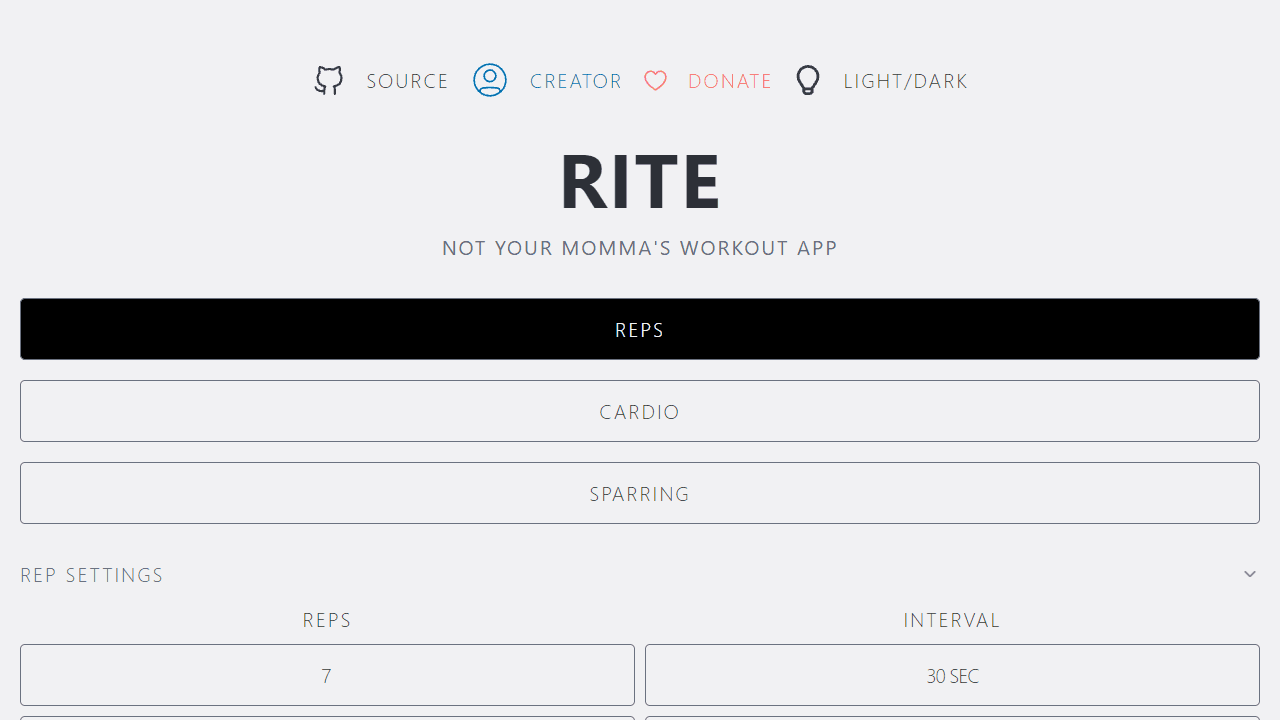
1. Select a training mode: Click "reps" for interval training, "cardio" for timed workouts, or "sparring" for round-based training. 2. Customize settings: Click the number buttons to adjust: - Reps mode: Set reps per interval, interval duration, total workout time, and target reps - Cardio mode: Set countdown timer duration - Sparring mode: Set round duration, rest time, and number of rounds 3. Start your workout: Click the play button to begin. A 3-2-1 countdown will appear before starting. 4. During workouts: - Use spacebar to start/pause timers - Audio alerts signal interval changes (dings for reps/cardio, bell for sparring rounds) - Click the audio icon to toggle sound on/off 5. Track progress: Your reps and times are automatically saved. Use the stopwatch feature in cardio mode for lap timing. 6. Reset anytime: Click the reset button to stop and return to setup. The app works offline and saves your settings automatically. Toggle between light/dark themes using the bulb icon.
Reviews
No written reviews yet. Be the first!
More from Lifestyle

Your morning news digest. Top stories across 8 categories, updated every 30 minutes.
by Launch Arcade


